
ContentCraft
Open Appi-Resonate Help Center
ContentCraft Help
BrandVoice
Content Campaigns
Scheduling
Team Management / WorkFlows
ProofLex Help
MindWrite Help
Create Posts with ContentCraft
Posts are short, focused pieces of content created to share ideas and strengthen your brand voice across different platforms.
ContentCraft simplifies post creation by combining AI-powered topic suggestions with your unique perspective. It helps you plan and generate high quality posts that sound like you, not generic AI content.
How to Create a Post Using ContentCraft?
Once your open your content calender, Follow the steps below:
STEP 1: Choose "Post" from the post type dropdown menu.
STEP 2: Pick a specific content pillar that aligns with your post audience.
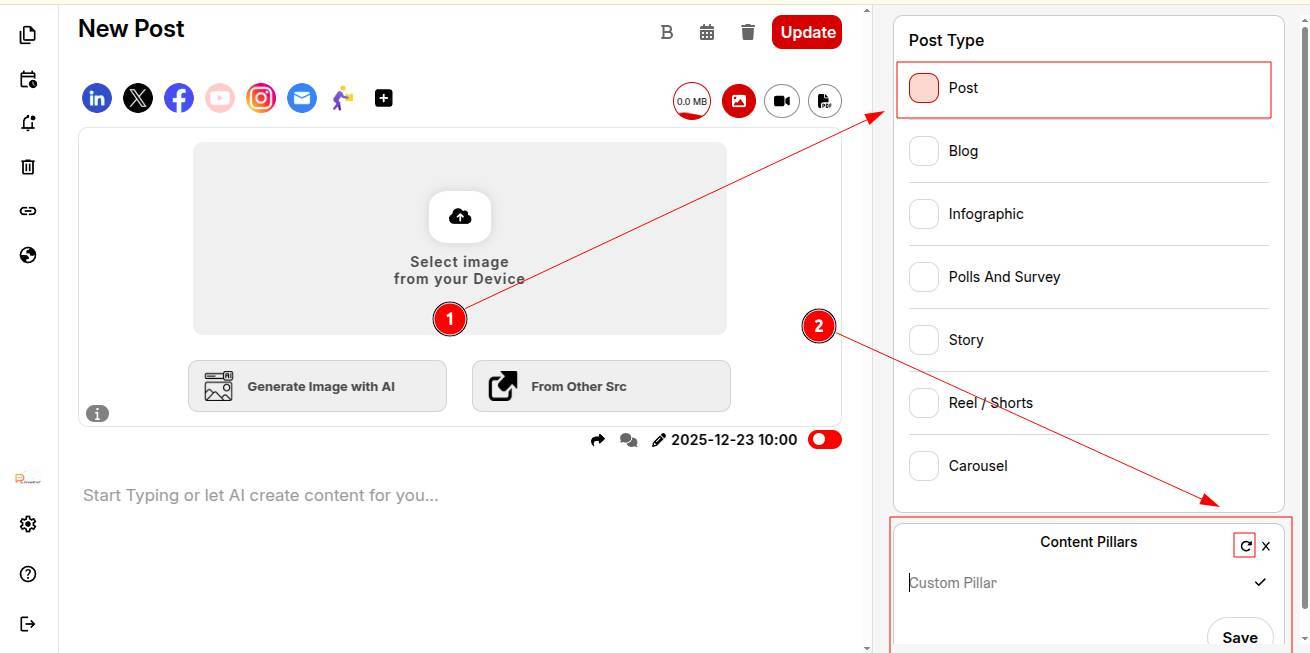
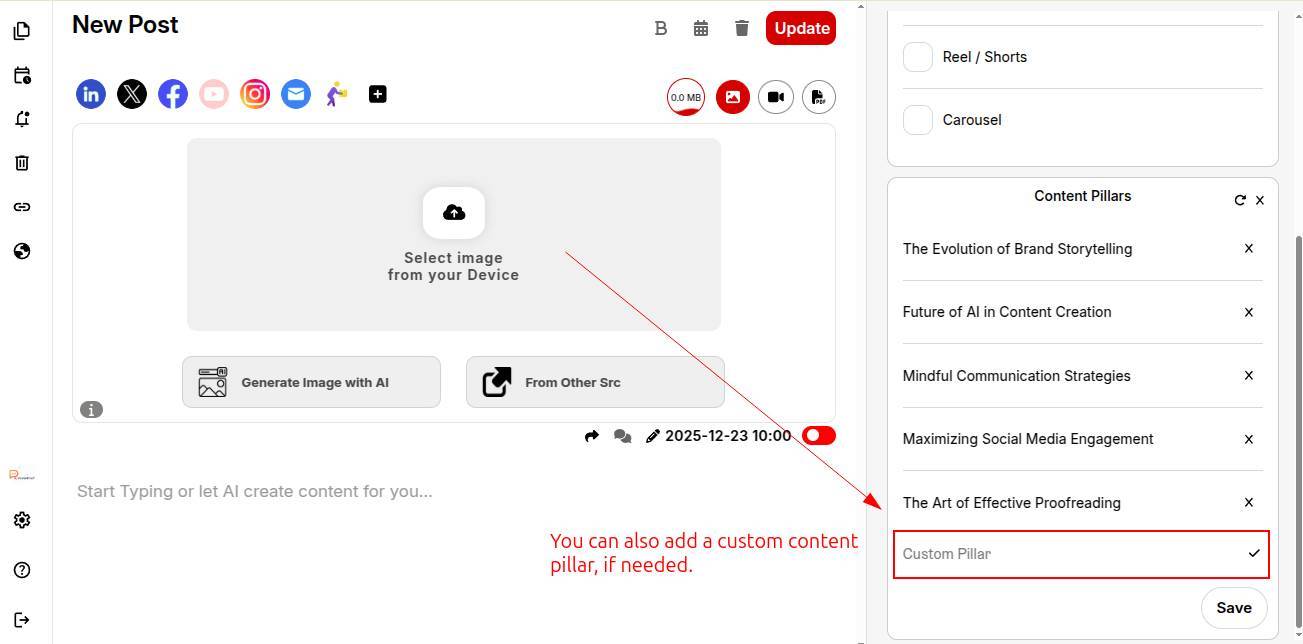
STEP 3: Select a specific post category to guide the content direction.
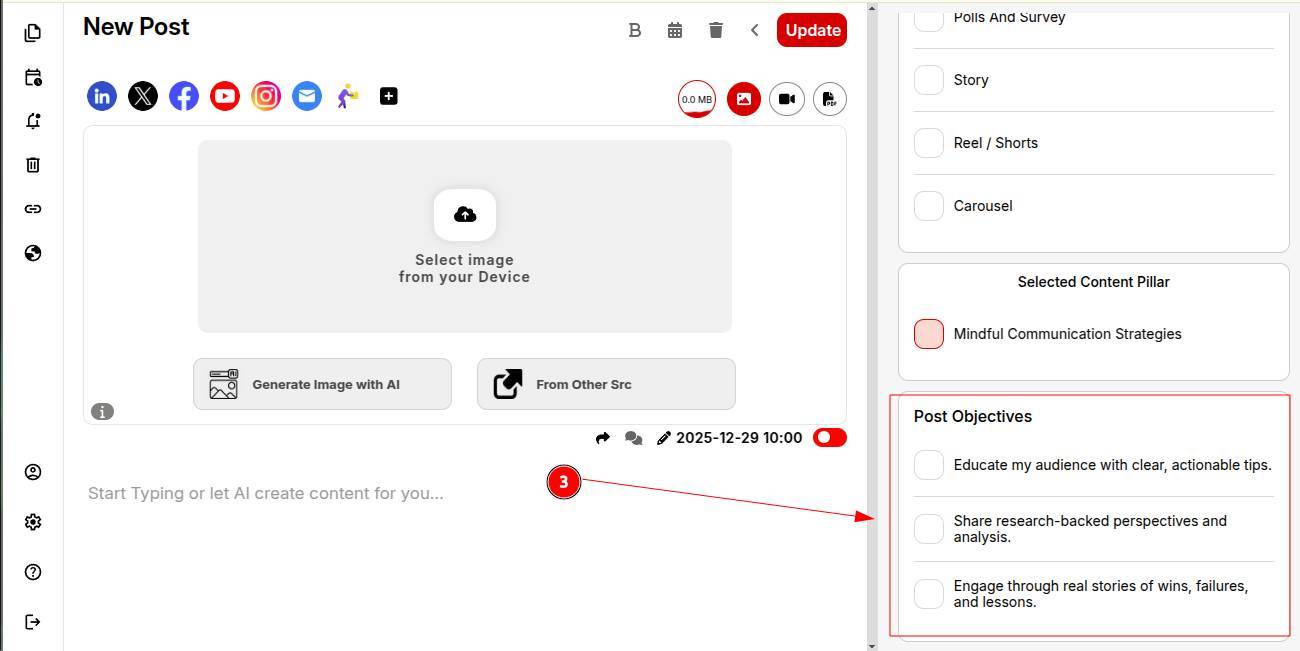
STEP 4: Select a specific objective category to guide the content direction further.
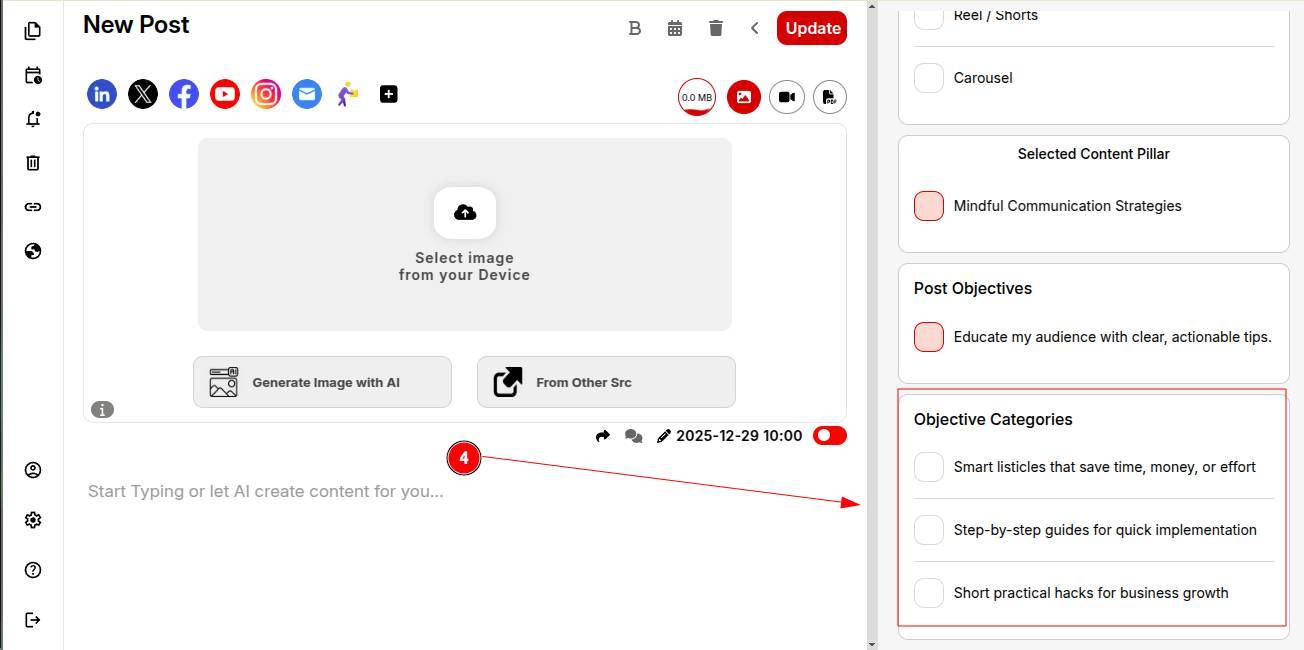
ContentCraft will suggest AI-powered trending topics. Choose a topic that best fits your audience and goal.
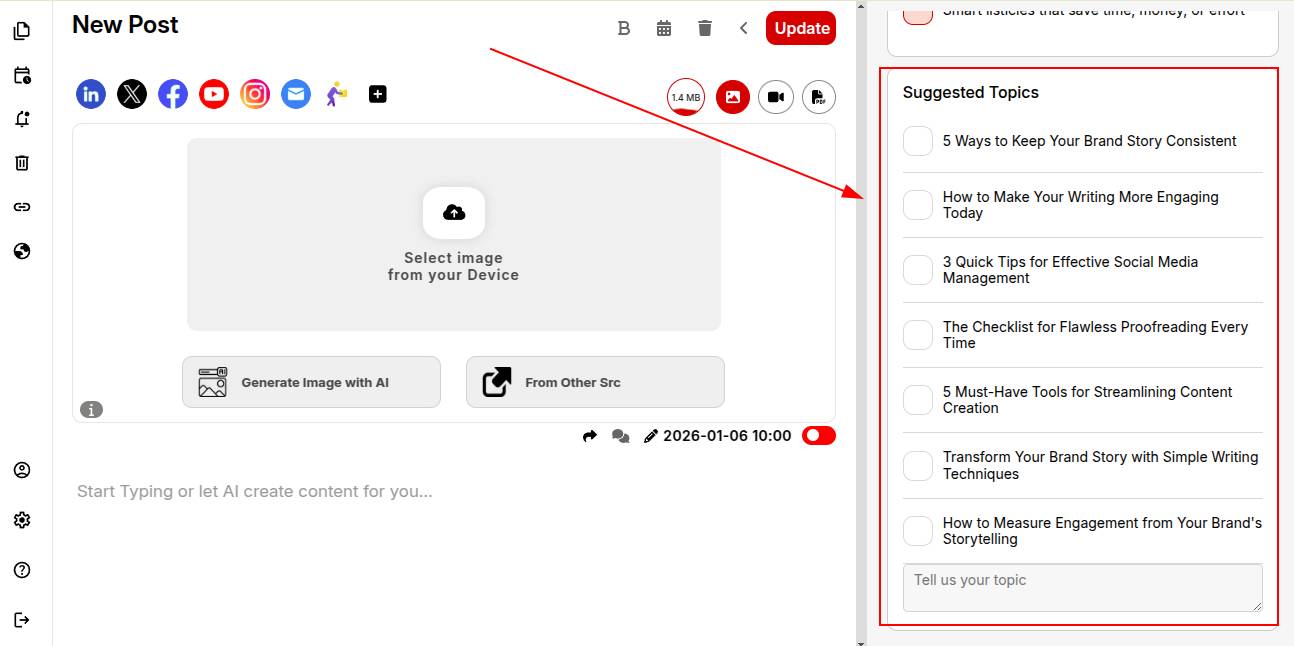
STEP 5: Briefly write your viewpoint or opinion on the topic. This ensures your voice and personality are reflected in the generated content.
STEP 6: Choose a structure like:
-
2 hooked paragraphs
-
5 bullet points
You can save this structure to reuse in future posts.
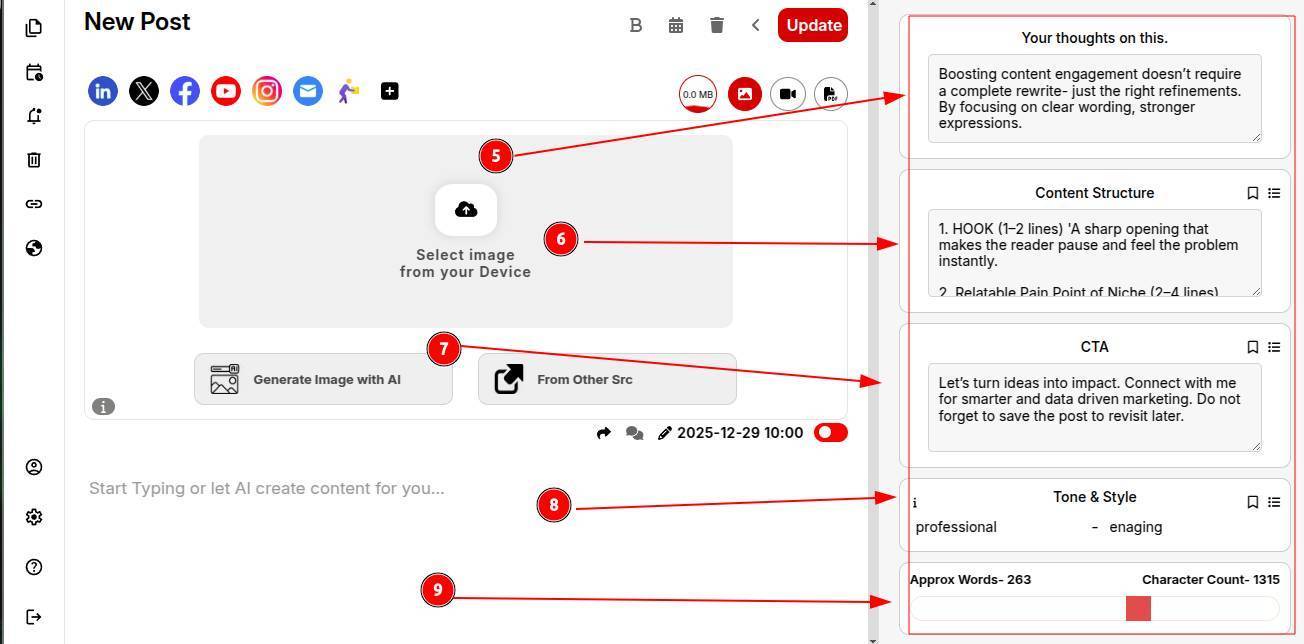
STEP 7: Add and save your CTA to automatically include it in future posts.
STEP 8: Set your tone of voice and writing style to maintain consistency across posts.
STEP 9: Define your desired word count and click Generate Post.
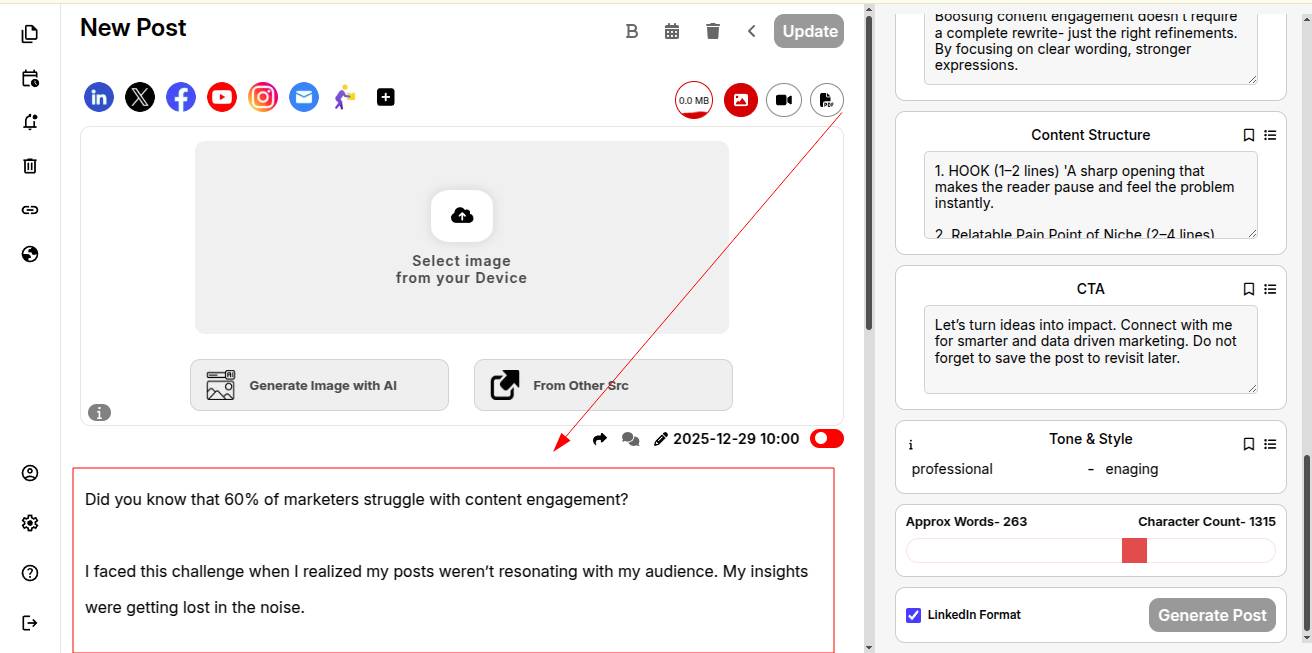
STEP 10: Boom! Your complete post content is ready to post. Add an image and publish it.
You can explore how to import PDFs into your posts with ContentCraft.