
ContentCraft
Open Appi-Resonate Help Center
ContentCraft Help
BrandVoice
Content Campaigns
Scheduling
Team Management / WorkFlows
ProofLex Help
MindWrite Help
Generate Blogs with ContentCraft
Blogs are written records that capture information in a structured format.
Sometimes, you might have a good idea in your mind but aren’t sure how to start writing or how to structure it. That’s where creating an outline or a draft first is really helpful.
It gives your ideas direction and makes the writing process smoother.
With ContentCraft creating full blog is fast and AI-powered. Whether you’re writing a medium post or a website article, ContentCraft helps you transform your ideas into engaging and high-quality posts in no time.
Follow this step by step guide to create a complete blog :
*OPTION 1: The first option is to create and schedule the blog directly from the content calendar.
Step 1: Open your campaign Planner and select Blog from the post creation dropdown.
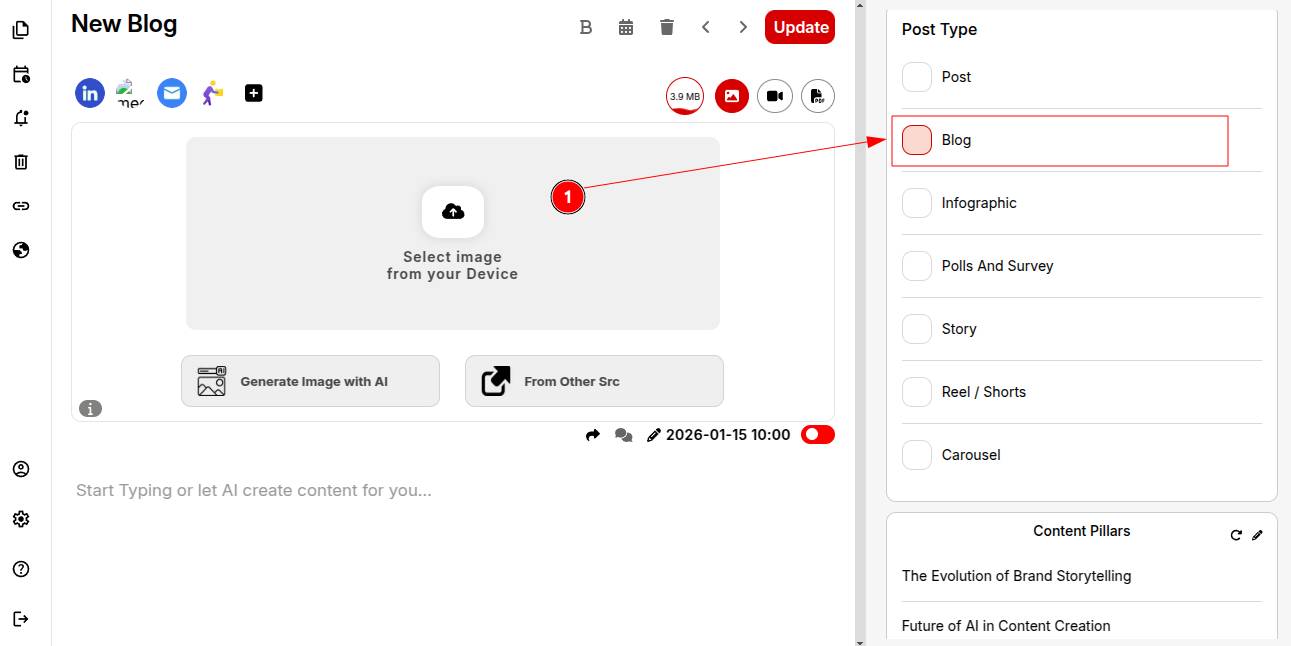
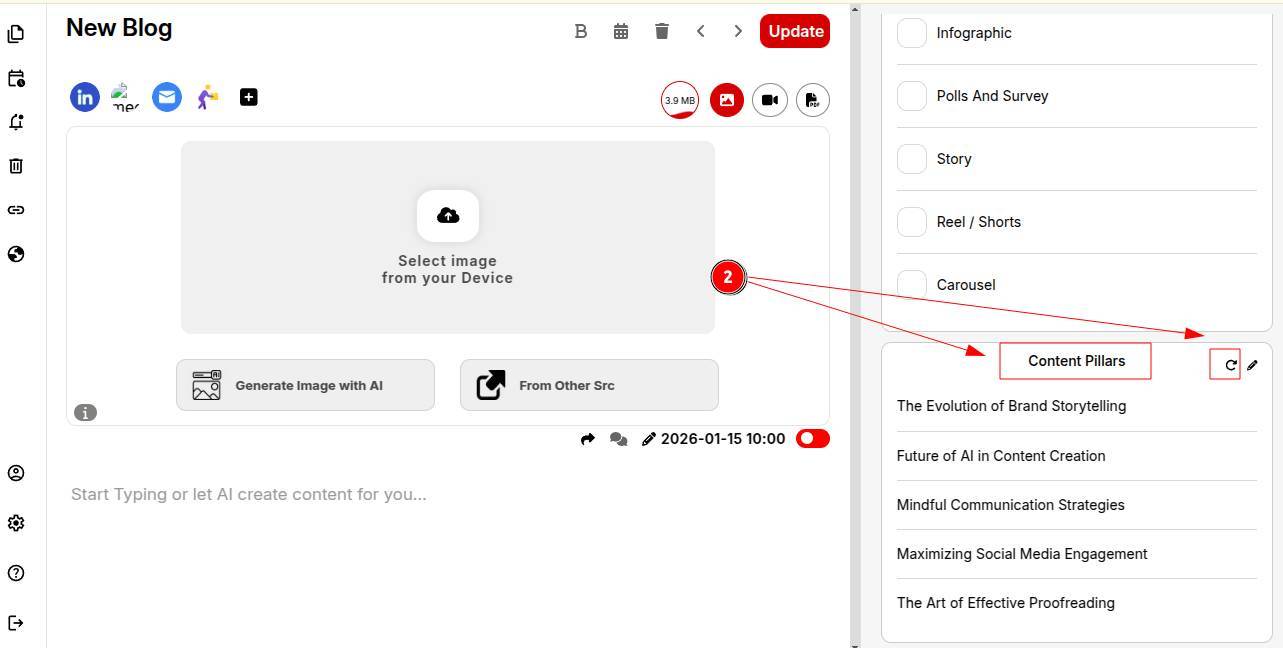
Step 2: Pick a specific content pillar that aligns with your post audience.
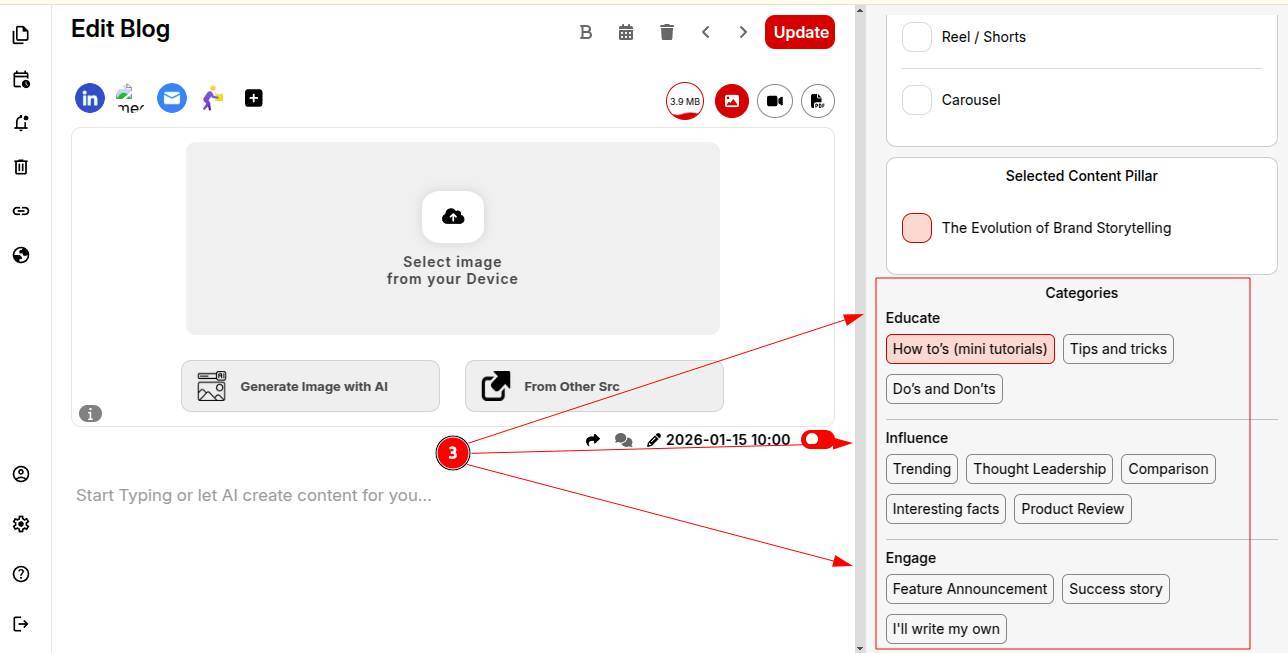
Step 3: Select the category or goal for your blog. Whether you want to educate, influence or engage your audience.
You can also add your own category if needed.
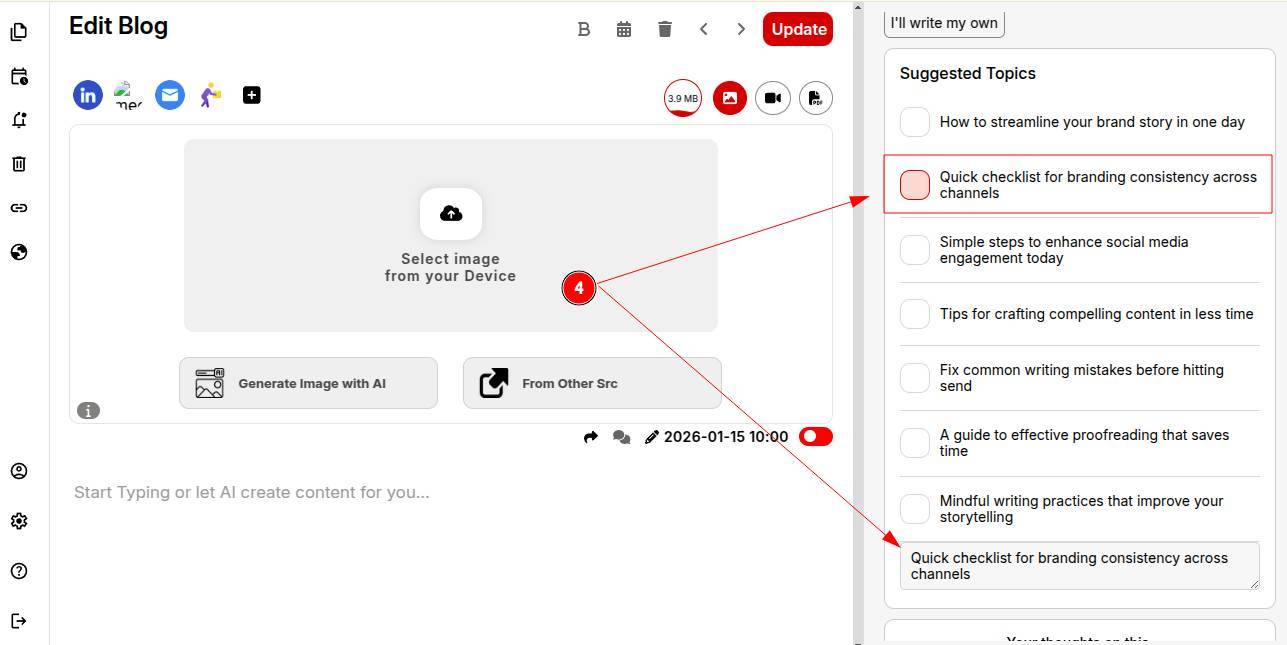
Step 4: Review AI-powered trending topic suggestions and pick one that fits your audience and purpose.
Step 5: Write a brief viewpoint or opinion to ensure your personality comes through.
Step 6: Select a structure (e.g..2-hooked paragraphs, 5 bullet points). You can save this structure to reuse in future posts.
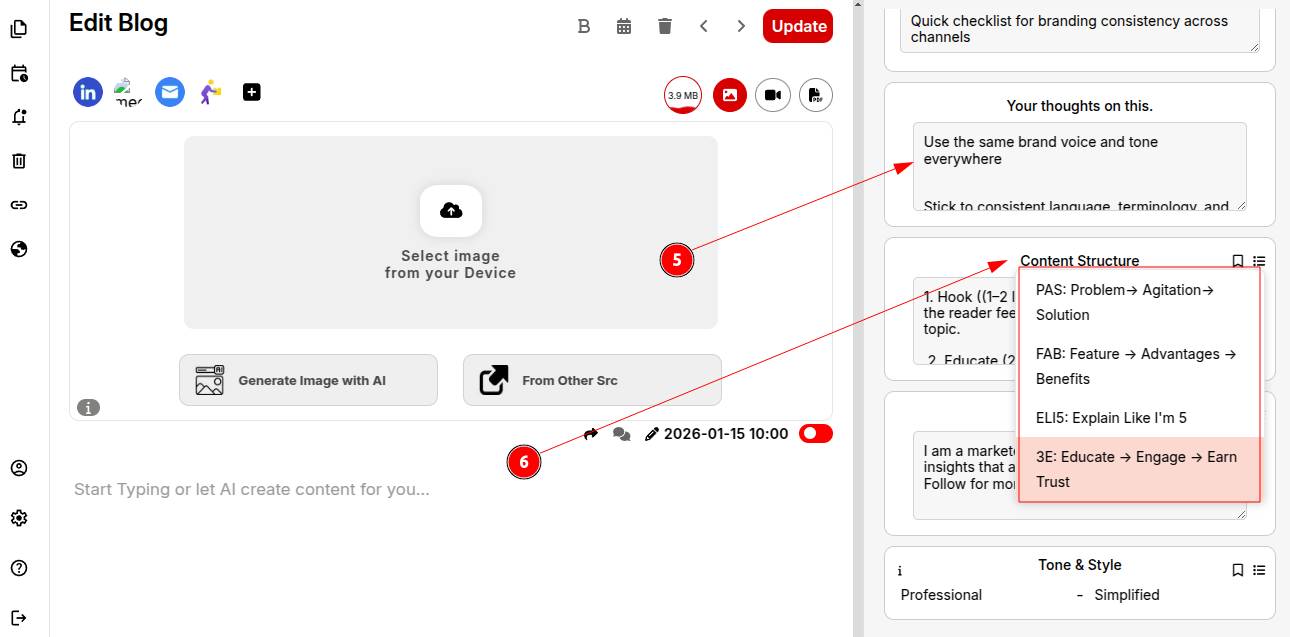
Step 7: Add and save your CTA to include automatically in future posts.
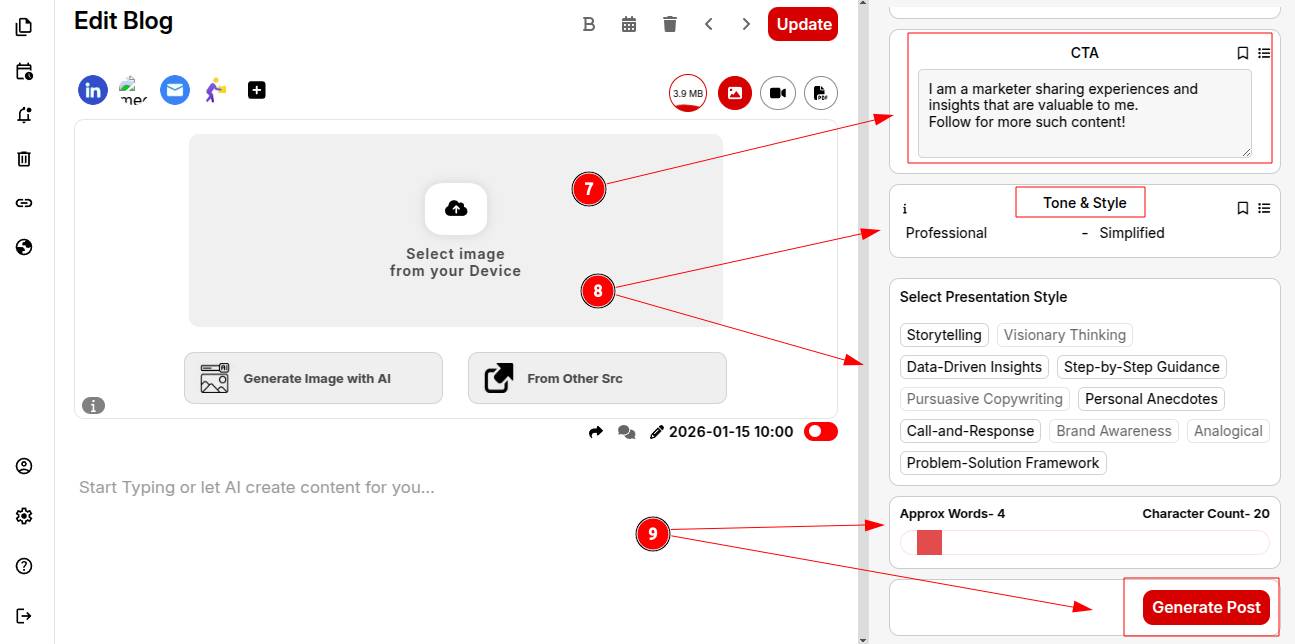
Step 8: Set your tone of voice and writing style for consistency across all posts.
Step 9: Define your desired word count and click Generate Post.
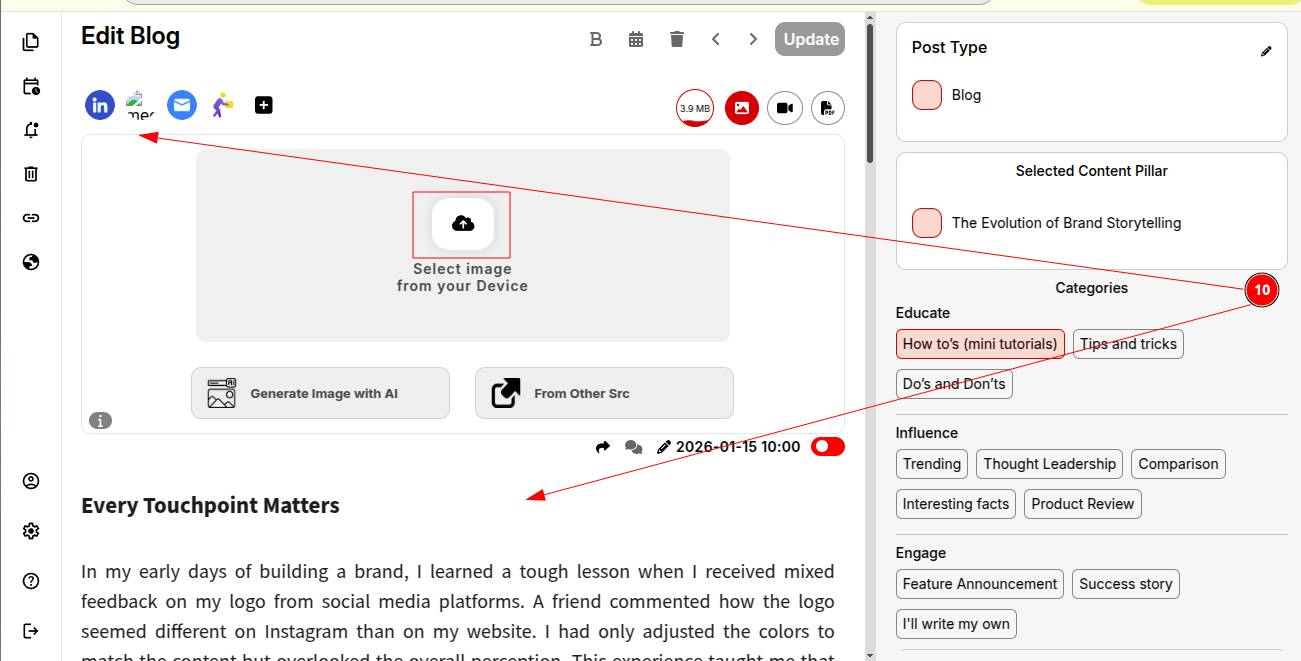
Step 10: All set! Do a quick review or make any final tweaks. Then select the platform and schedule your blog.
*OPTION 2: The second option is to create the blog first in the ContentCraft editor, make any edits or refinements and then schedule it for publishing.
Step 1: Once you open a blank document, click on “Generate blog” from the drop-down create menu.
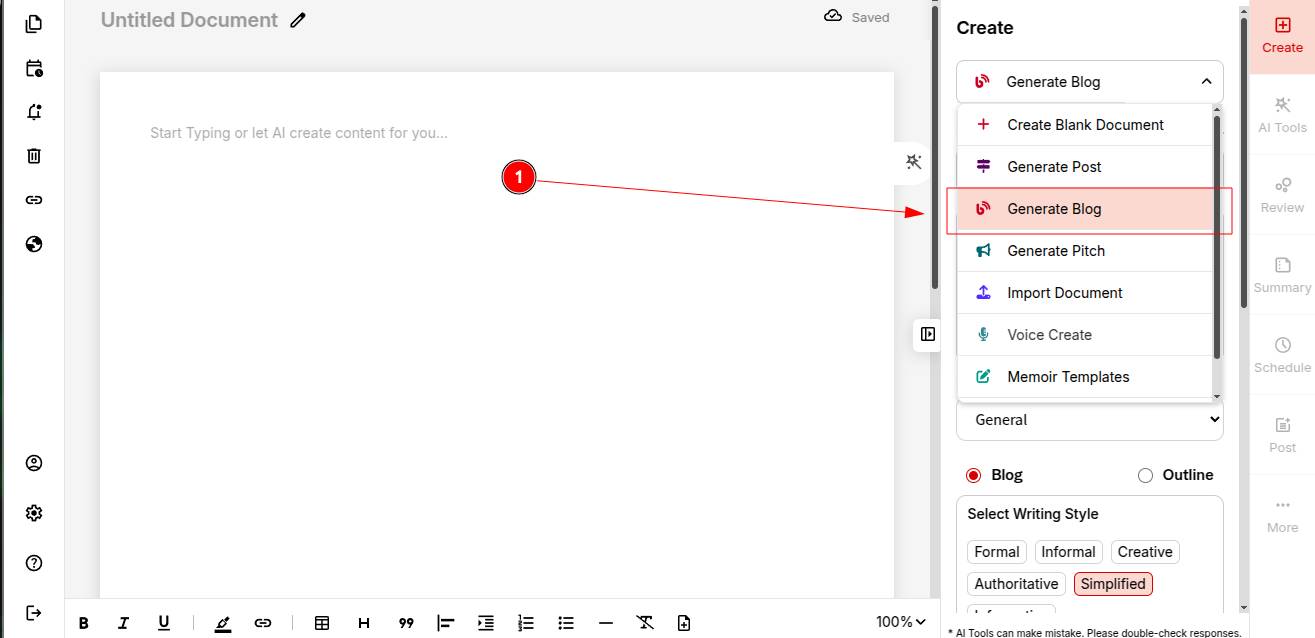
Step 2: Select your Brand Voice for the blog.
Step 3: Describe your content topic for the blog to customize it accordingly.
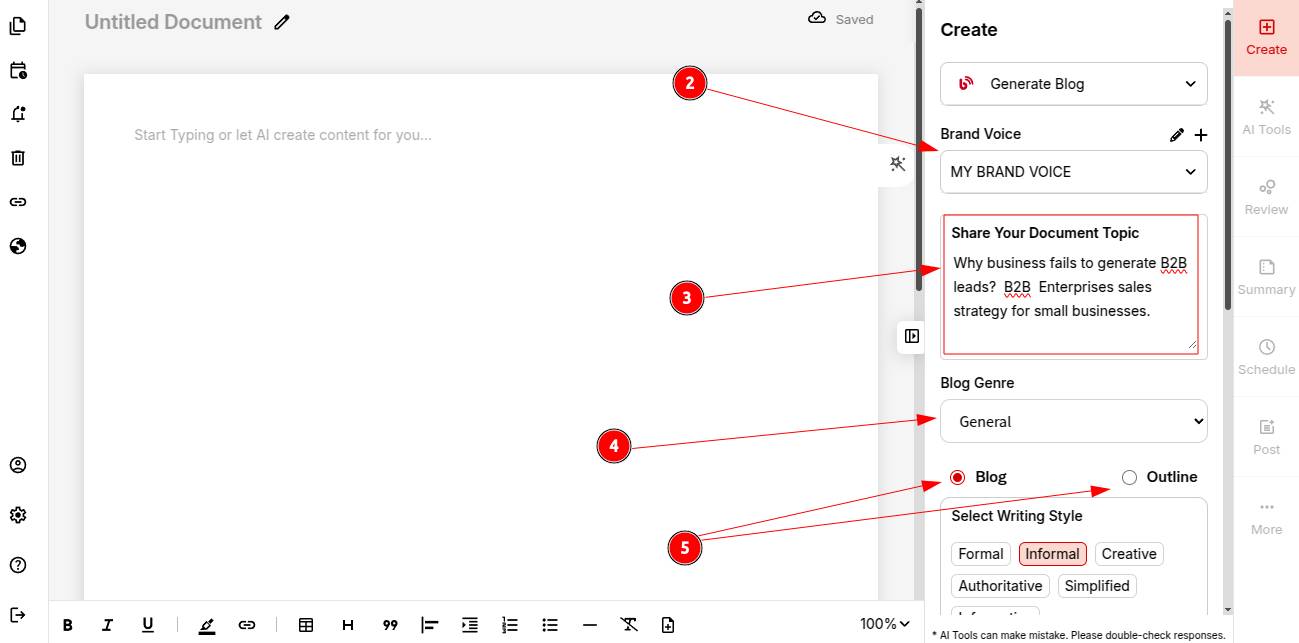
Step 4: Select your Blog genre (e.g., entertainment, technology, general etc).
Step 5: Decide what you want to generate: blog or blog Outline.
Step 6: Pick your writing style, tone of voice and presentation style to shape the final output.
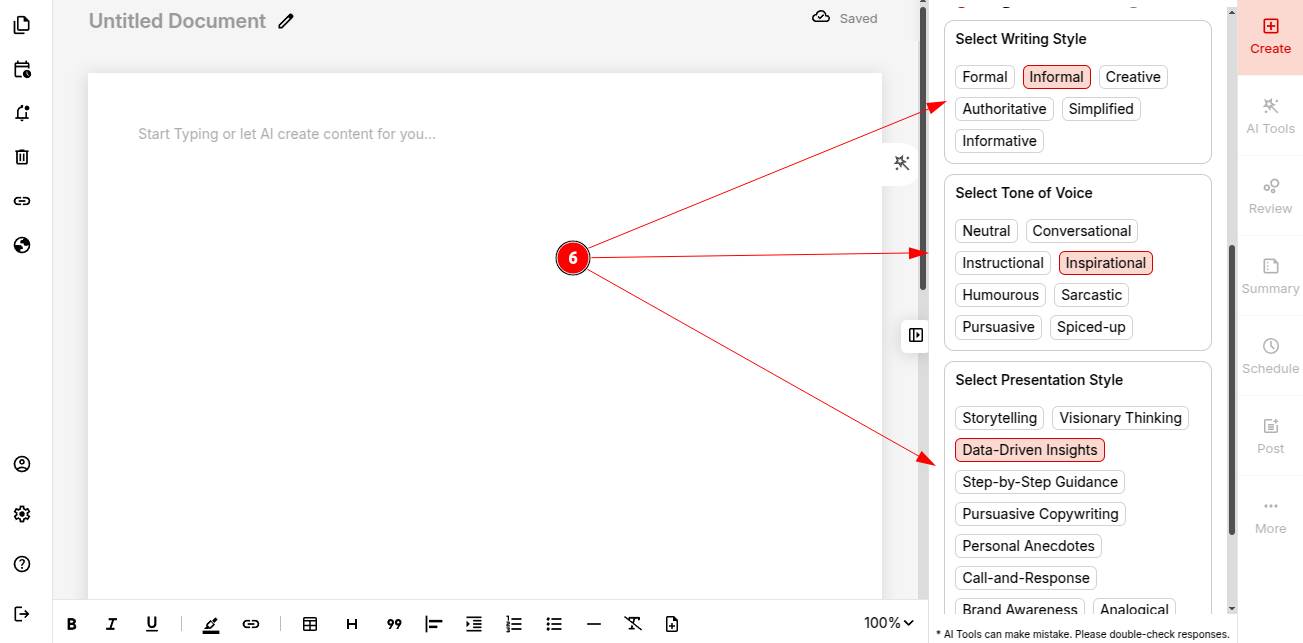
Step 7: Hit “Generate” and watch your AI-powered blog come to life!
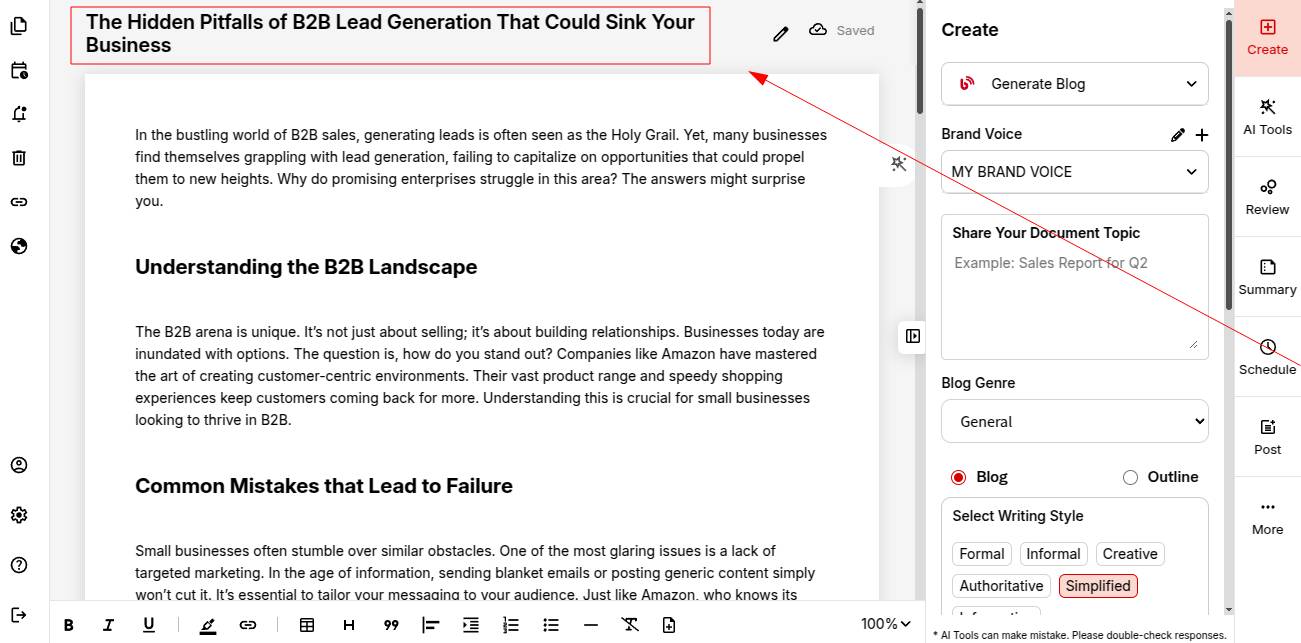
Your Complete Document is now Ready! Do a quick review or make any final tweaks. Once done, you can schedule your blog for publishing.
You can also explore creating a persuasive marketing pitch for your brand using ContentCraft.