
ContentCraft
Open Appi-Resonate Help Center
ContentCraft Help
BrandVoice
Content Campaigns
Scheduling
Team Management / WorkFlows
ProofLex Help
MindWrite Help
Link Twitter Account with ContentCraft
Connecting your Twitter account with a social media automation tool simplifies how you post and schedule your tweets.
Once connected, ContentCraft becomes your Twitter automation system. It helps you:
- Schedule and plan tweets ahead of time.
-
Manage multiple posts without switching platforms.
IMPORTANT : ContentCraft only uses the permissions required to publish and schedule tweets. It does not read private messages or access personal Twitter data.
Steps to Link Your Twitter Account with ContentCraft:
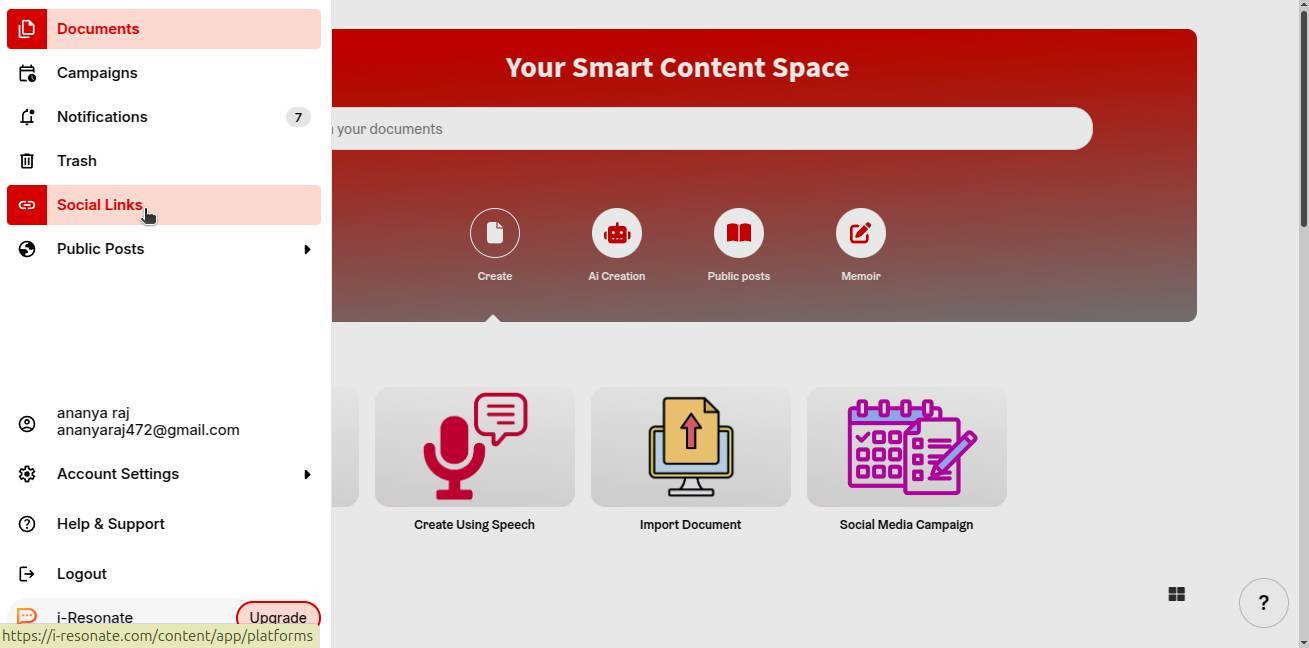
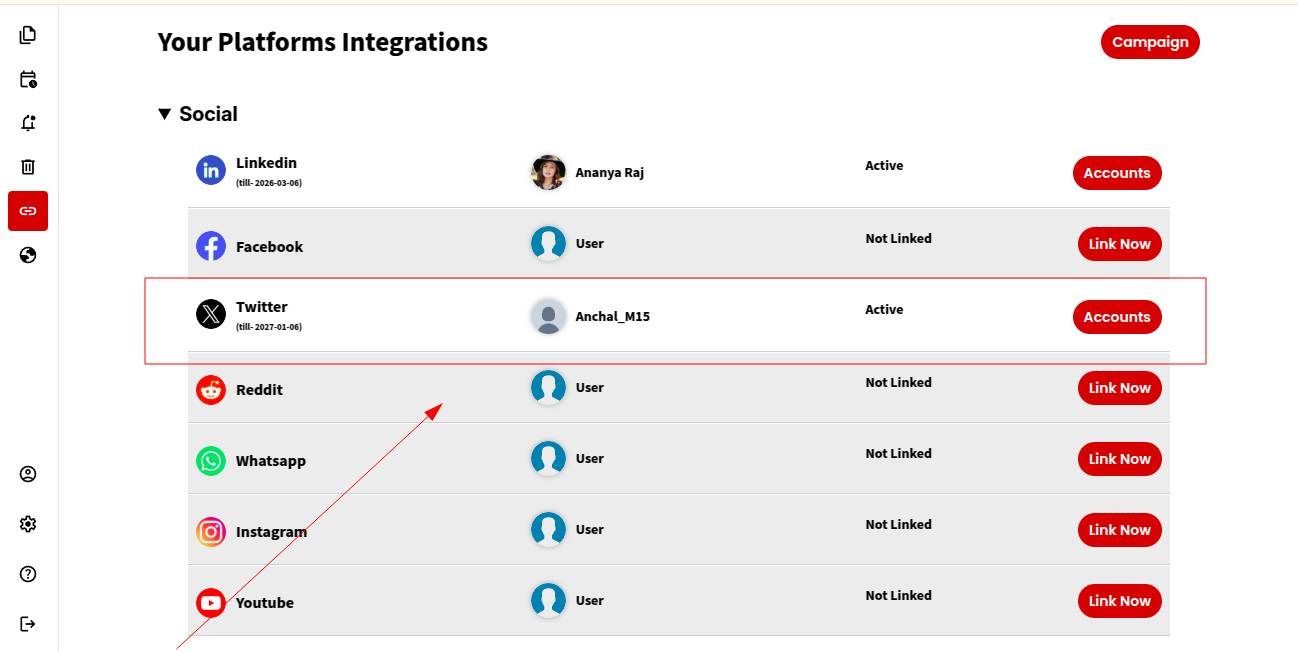
Step 1: Click on “Social Links” from the left navigation bar on the ContentCraft dashboard.
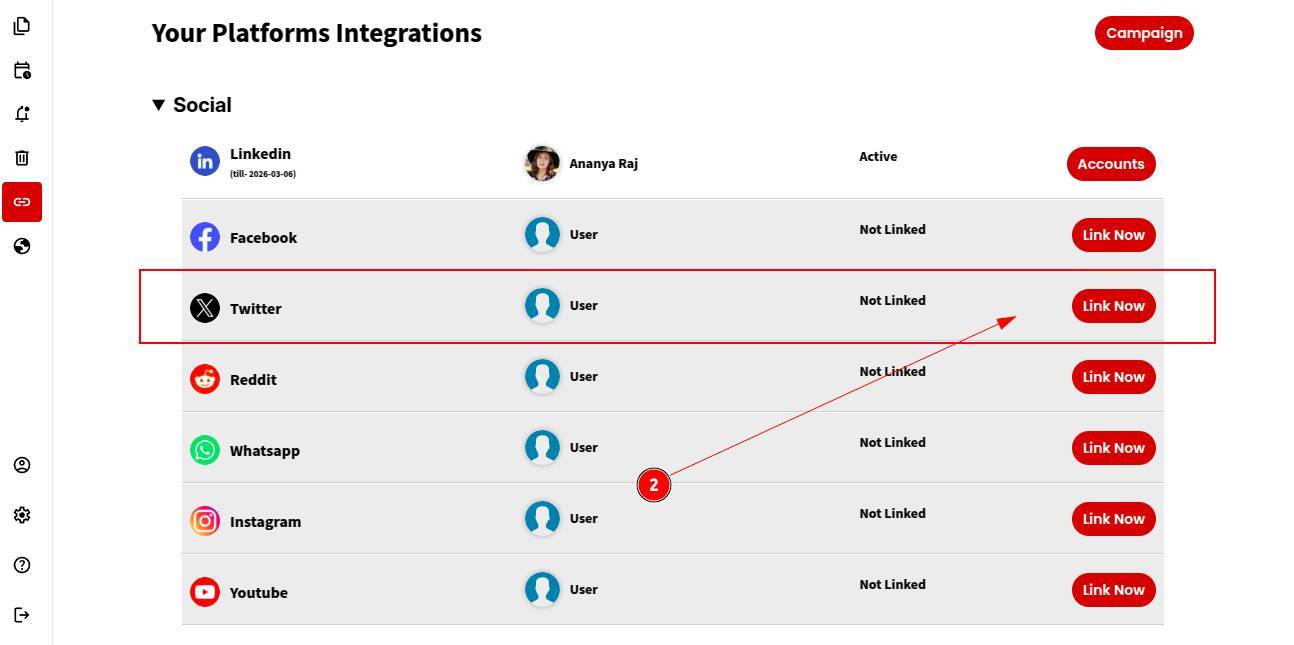
Step 2: Choose Twitter from the list of available platforms and click “Link Now.”
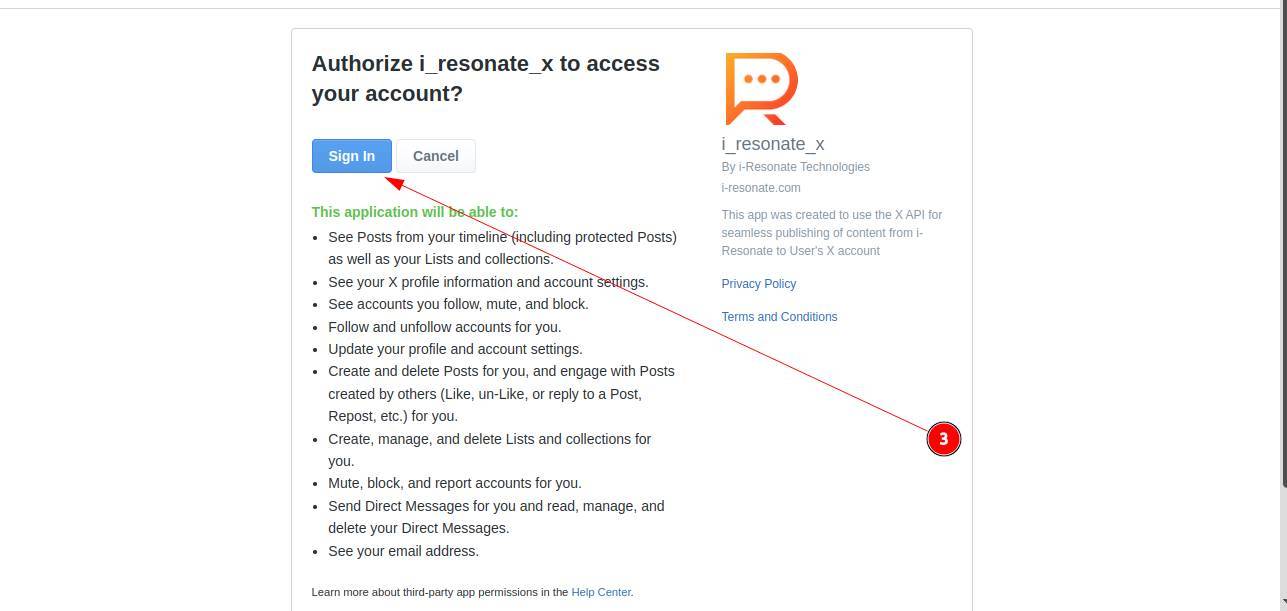
Step 3: Review the access rights and information provided, then click Sign In.
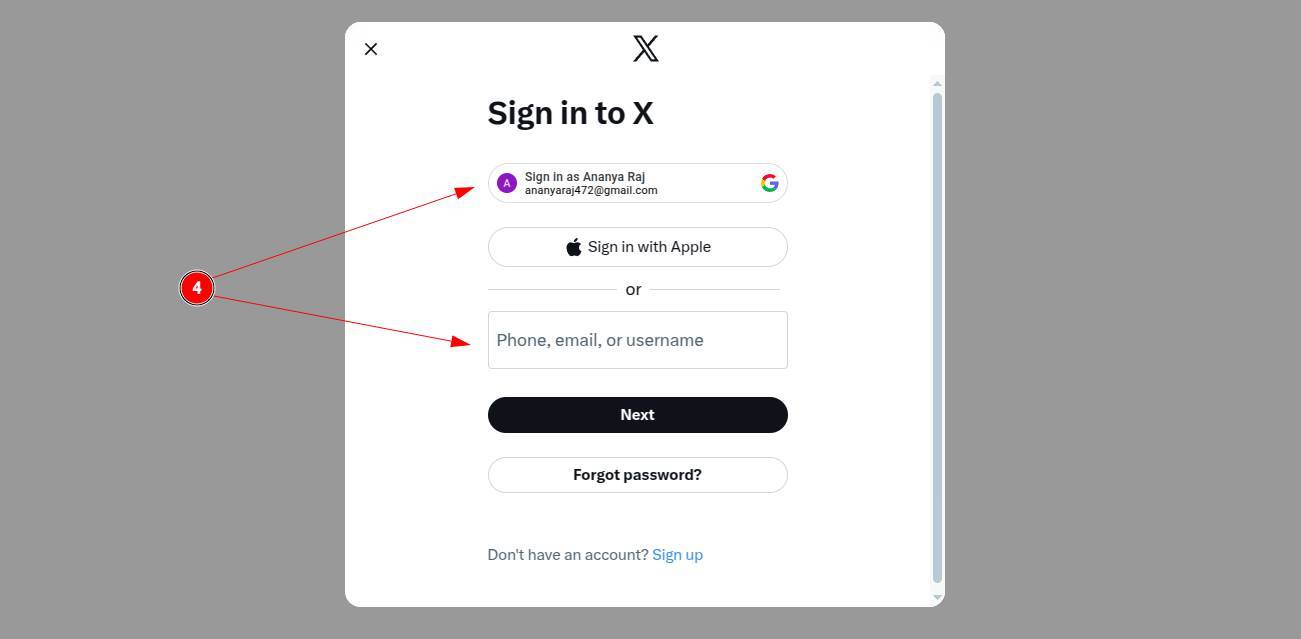
Step 4: Sign in to your Twitter account using your account credentials.
That’s it! Your Twitter account is successfully linked. You can now start scheduling tweets through ContentCraft.
Note: You can link multiple Twitter accounts with ContentCraft if you manage twwets across different accounts or teams.
You can also explore Instragram integration in ContentCraft to streamline your social media workflow.