
ProofLex
Open Appi-Resonate Help Center
ProofLex Help
Document Creation
Proofreading
Doc Insights
Team Management / WorkFlows
Microsoft Word Plugin
Microsoft Outlook Plugin
ContentCraft Help
MindWrite Help
Analyze and Insert Citations in ProofLex
In legal writing, every claim needs evidence and that evidence comes from citations.
-
They protect you: Citations show that your arguments are grounded in established laws or regulatory sources.
-
They build trust: Clients and courts rely on citations to verify the accuracy of your statements.
-
They ensure compliance: Missing or incorrect citations can create legal risks or even invalidate your document.
But manually checking and inserting citations is time-consuming and prone to oversight.
ProofLex's Citation Scout handles it for you. It reviews your document, identifies where citations are needed and recommends accurate citations instantly.
NOTE: The Citation Scout tool is part of ProofLex's Compliance features, available exclusively to Pro or Enterprise users.
Here are the steps to insert Citations :
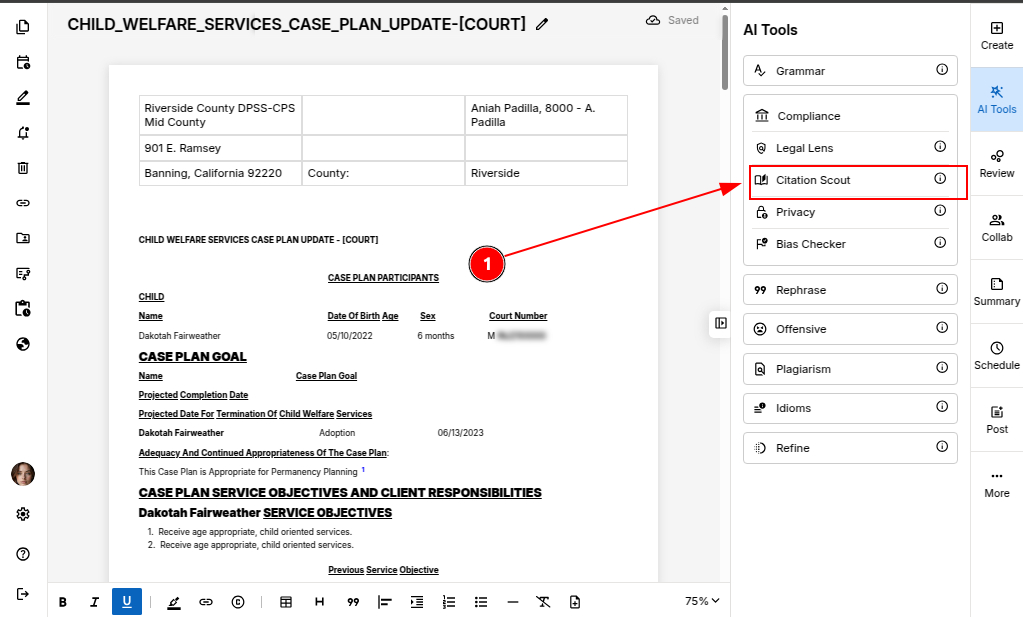
STEP 1: Open your document in the ProofLex Editor and select Citation Scout under the Compliance tools.
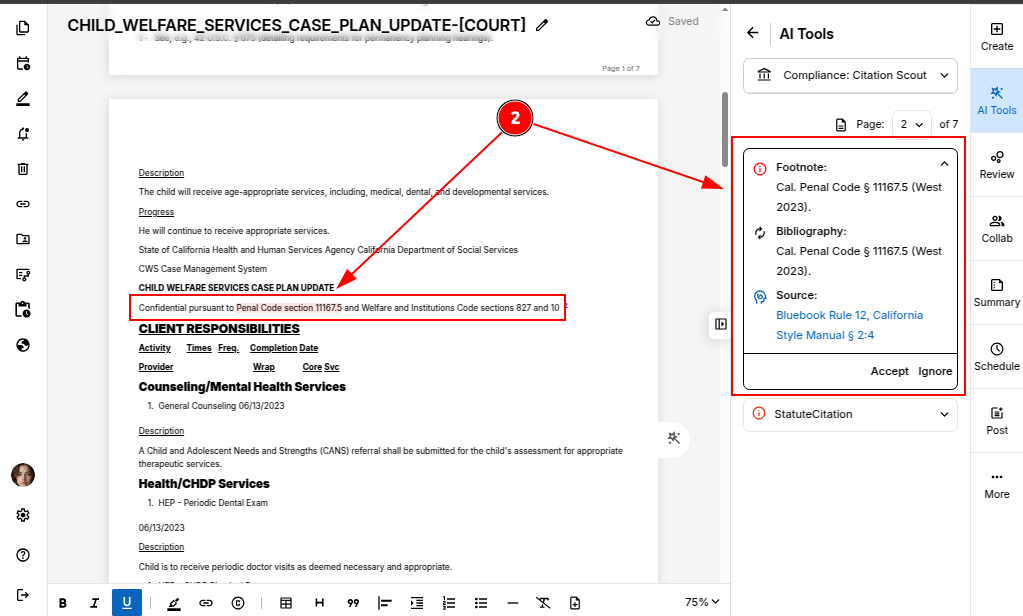
STEP 2: Review the citation suggestions ProofLex generates, and choose the statement you want to add a citation to.
IMPORTANT: Citation Analysis is performed one page at a time. Make sure you select the page you want to analyze before starting the check.
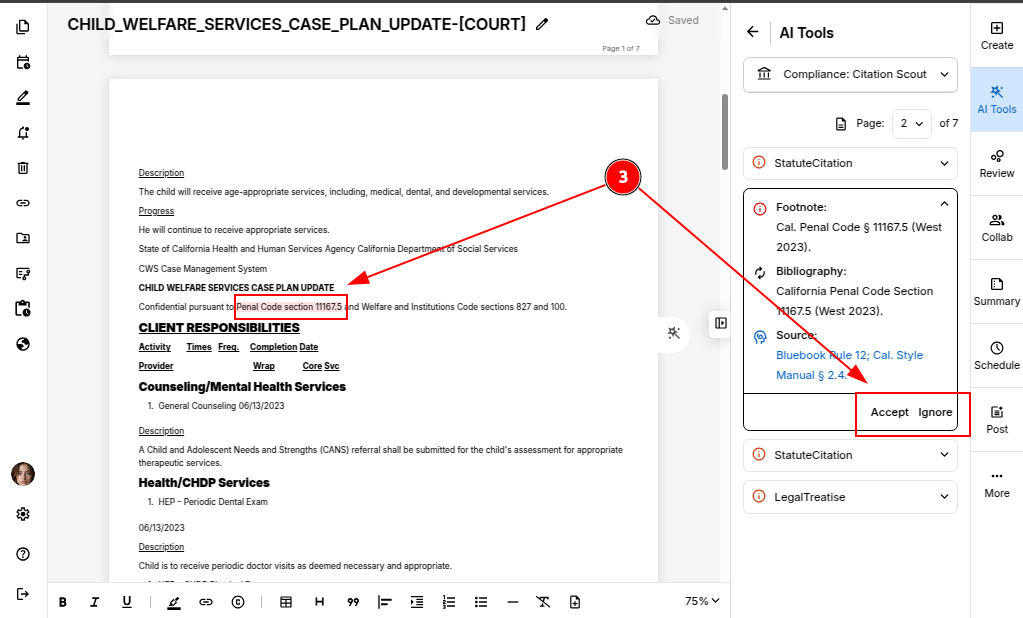
STEP 3: Click "Accept" on the suggestion you want to apply.
STEP 4: ProofLex will automatically insert the correct footnote and create a matching bibliography entry in the proper format, no manual formatting needed.
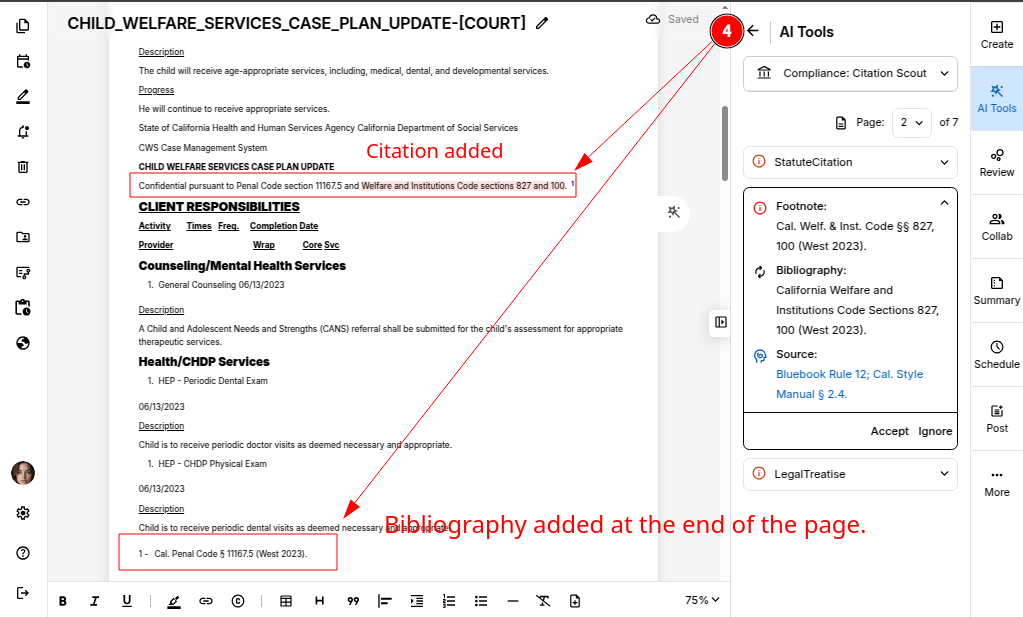
Now, once your document is finalized, you can safely export it.
You can also explore to detect and redact Personally Identifiable Information in ProofLex.