
ProofLex
Open Appi-Resonate Help Center
ProofLex Help
Document Creation
Proofreading
Doc Insights
Team Management / WorkFlows
Microsoft Word Plugin
Microsoft Outlook Plugin
ContentCraft Help
MindWrite Help
Analyze Offensive content using ProofLex
Offensive words are language or phrases that are disrespectful or inappropriate. This includes hate speeches or remarks targeting individuals or groups.
Using offensive language can harm your credibility or even lead to legal or professional issues. Detecting and removing such content ensures your communication is respectful and safe for all readers.
ProofLex makes it easy to identify and remove offensive content, by highlighting problematic words and suggesting safe alternatives.
Here are the steps to remove offensive content :
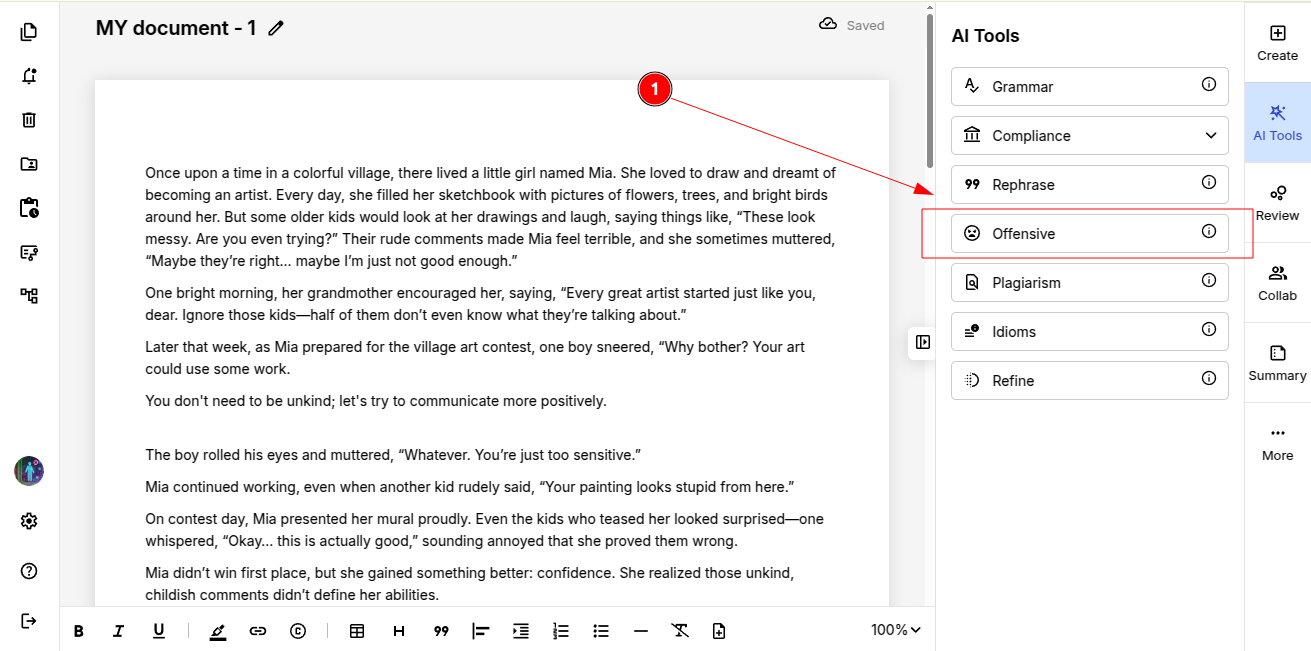
STEP 1: Open the document into the editor and select “Offensive” under AI tools from left menu.
STEP 2: ProofLex will automatically highlight all offensive words in your document and suggest alternative words.
IMPORTANT : Offensive analysis in ProofLex works one page at a time. You must select the specific page you want to review.
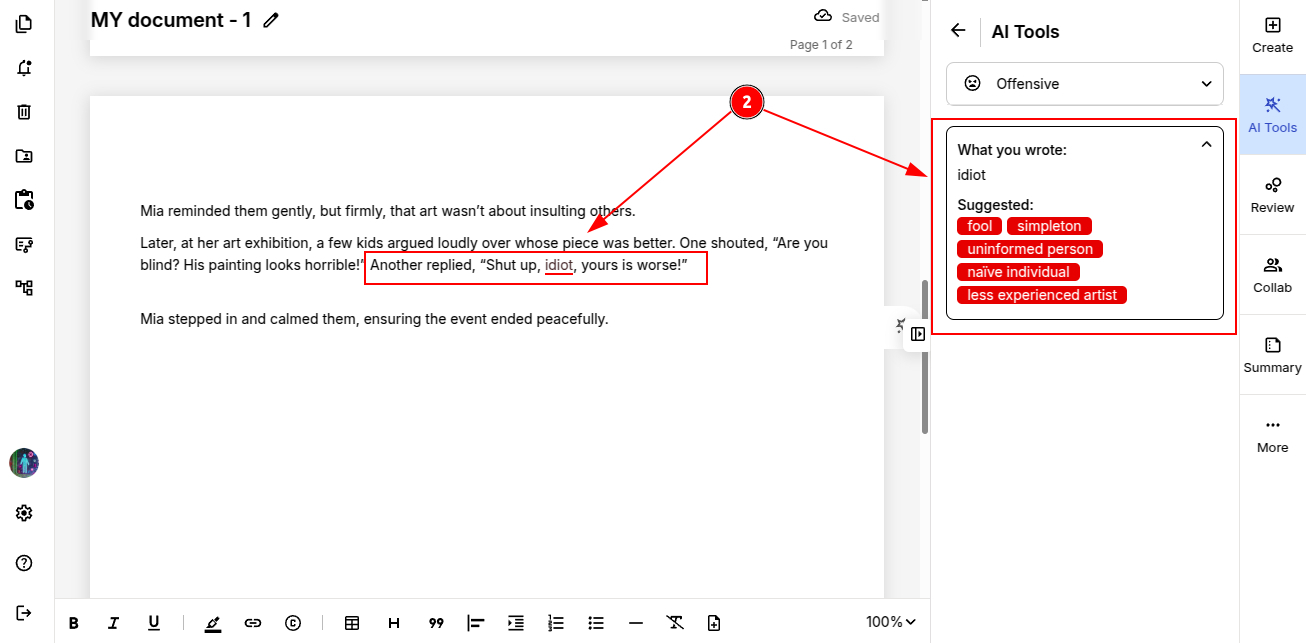
STEP 3: Click on any suggested word to replace the offensive word in your document.
Once all offensive words are addressed, your document is ready to share and export.
You can quickly explore viewing the positivity of your document to understand the tone at a glance.