
ProofLex
Open Appi-Resonate Help Center
ProofLex Help
Document Creation
Proofreading
Doc Insights
Team Management / WorkFlows
Microsoft Word Plugin
Microsoft Outlook Plugin
ContentCraft Help
MindWrite Help
How to check how many features you have used in the ProofLex plan?
You can easily check how much of your ProofLex plan you’ve used such as AI Generated Summary, Personal Information Redaction, Legal Language Compliance directly from your dashboard.
This preview gives you a quick overview of feature usage, helping you understand what’s been used, what’s still available, and when you might need an upgrade.
Follow these steps:
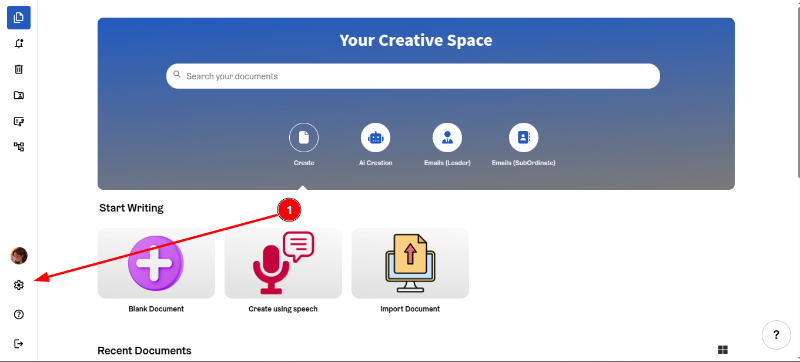
Step 1: On your ProofLex dashboard, click the Account icon.
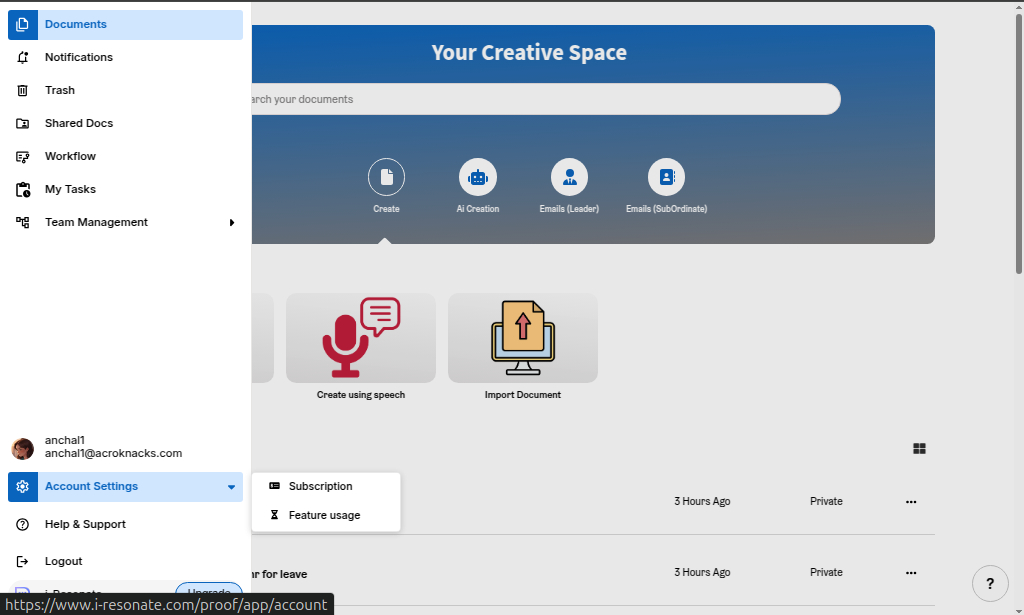
Step 2: Navigate to “Feature Usage.”
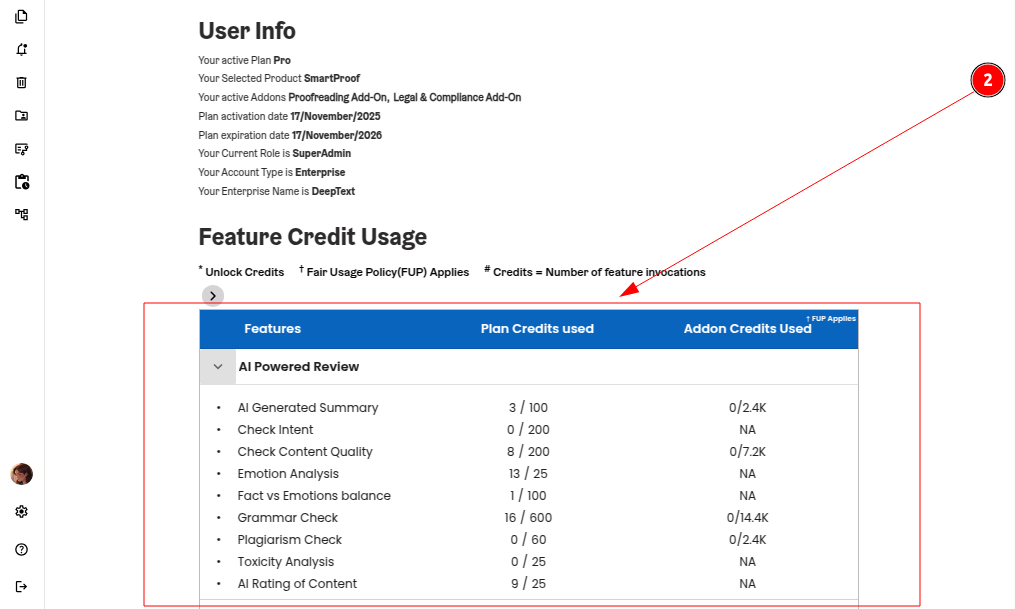
This section gives you a quick overview of your current plan details including how much of each features under a particular category you’ve used.
You can also explore how to create a workflow for your team with ProofLex?