Collaboration is when two or more people work together (teams) by sharing ideas and responsibilities to achieve better results than they could individually.

ProofLex
Open Appi-Resonate Help Center
ProofLex Help
Document Creation
Proofreading
Doc Insights
Team Management / WorkFlows
Microsoft Word Plugin
Microsoft Outlook Plugin
ContentCraft Help
MindWrite Help
Working together allows authors/team members to give real-time feedback and bring in diverse perspectives.
ProofLex makes this collaboration effortless by allowing multiple team members to review, comment and improve the same document in one place.
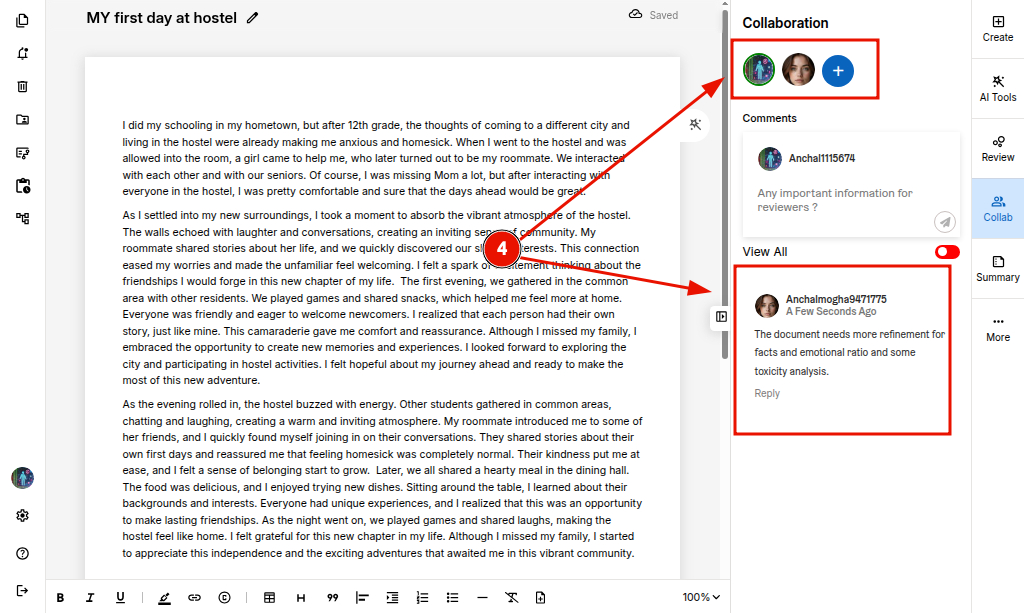
STEP 1. Open your document in the editor and select 'Collab' from the right sidebar.
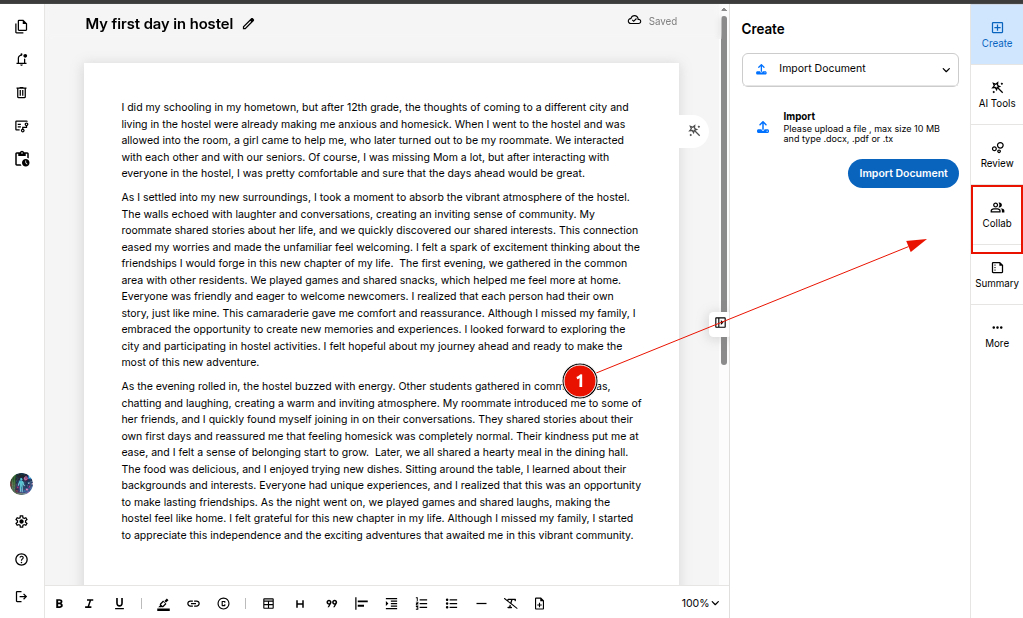
STEP 2. Click the '+' icon to add a reviewer to the document.
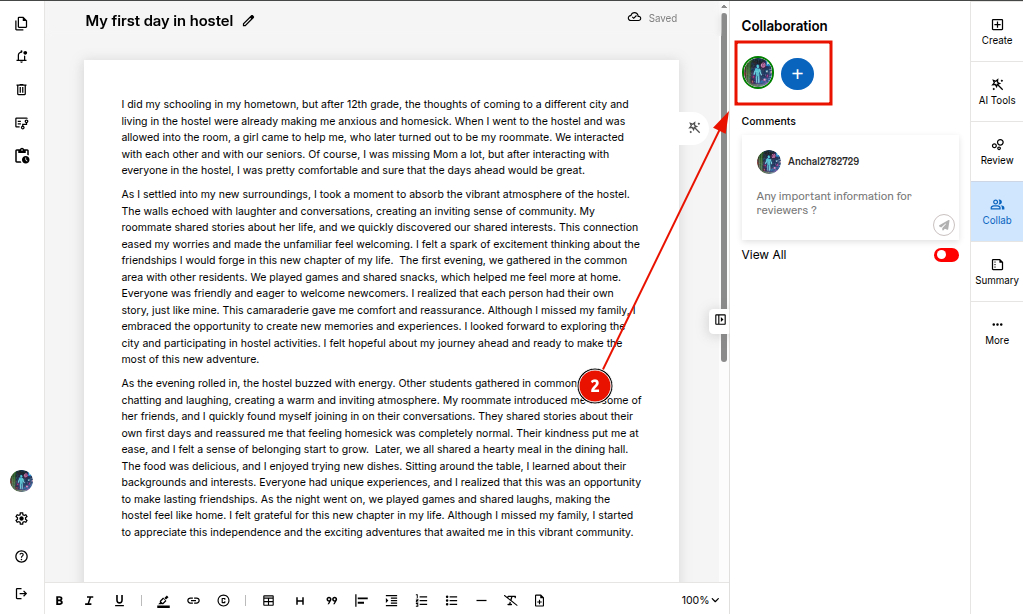
STEP 3. To send an invitation, click 'Invite.'
If you want to invite a specific person (not visible in the drop down), simply type their full email address into the search bar.
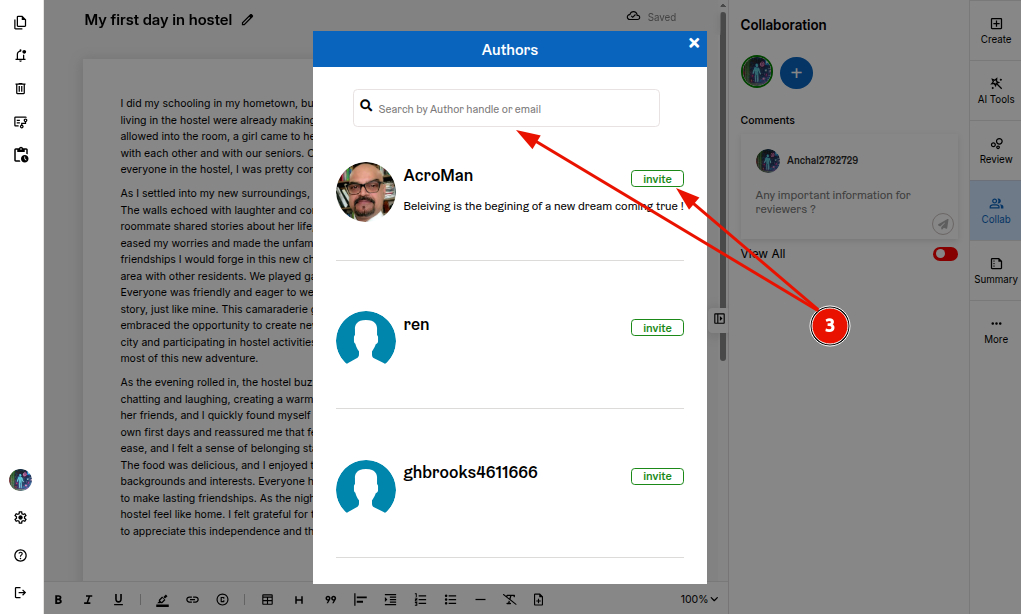
STEP 4. Once the members accept your request, their profiles will appear in the collaboration bar.
Their comments and feedback will be displayed in the document as shown below.