
ProofLex
Open Appi-Resonate Help Center
ProofLex Help
Document Creation
Proofreading
Doc Insights
Team Management / WorkFlows
Microsoft Word Plugin
Microsoft Outlook Plugin
ContentCraft Help
MindWrite Help
How to rephrase your content with ProofLex?
A rephrased sentence is a rewritten version of your original sentence that keeps the same meaning but improves how the idea is expressed.
Rephrasing focuses on making your message clearer, smoother and more professional.
Rephrased sentences help you:
-
Make your ideas easier to understand.
-
Remove complex or unclear wording.
-
Enhance professionalism and readability.
ProofLex uses AI to instantly rephrase your sentences or paragraphs while preserving your original meaning.
Follow these steps to rephrase your content :
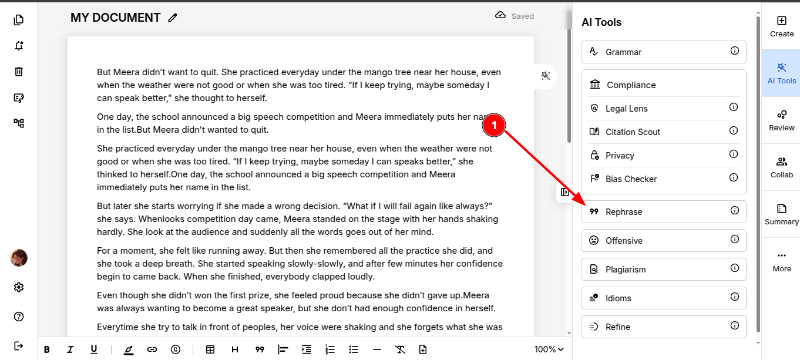
STEP 1. Open your document in the Editor and click on 'Rephrase' from the AI Tools menu.
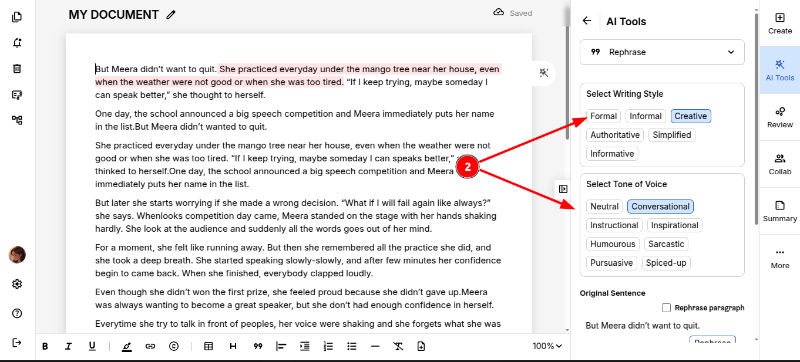
STEP 2: Choose your preferred Writing Style and Tone of Voice to match how you want the rephrased content to sound.
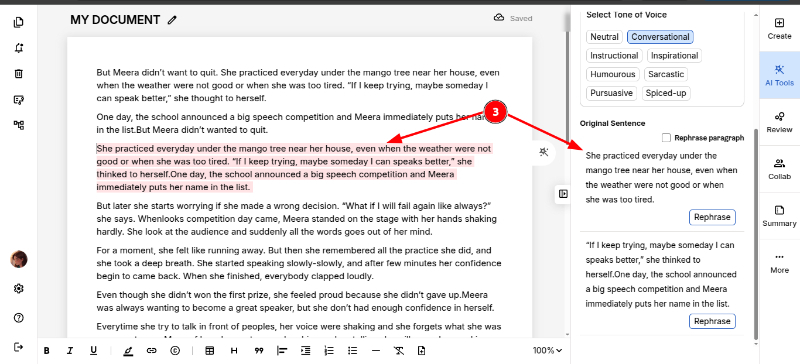
STEP 3. Place your cursor on the sentence or paragraph you want to rephrase. ProofLex automatically highlights the rephrased lines for easy comparison.
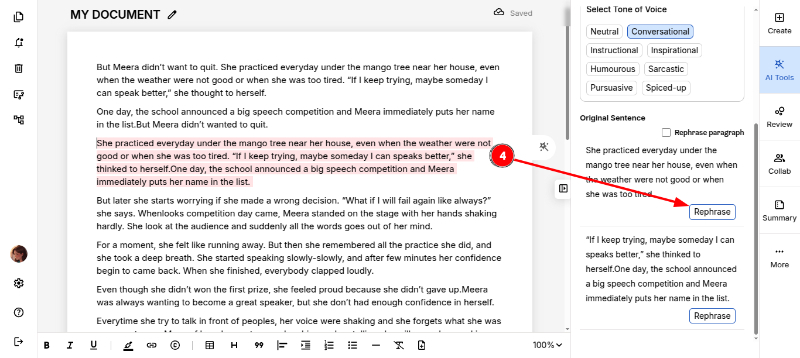
4. Click “Rephrase” to generate the improved version.
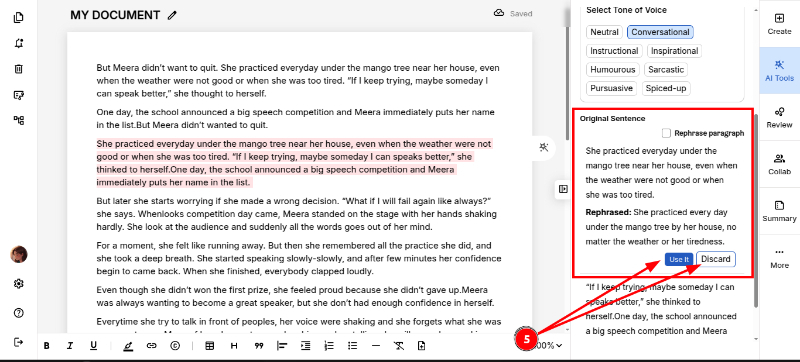
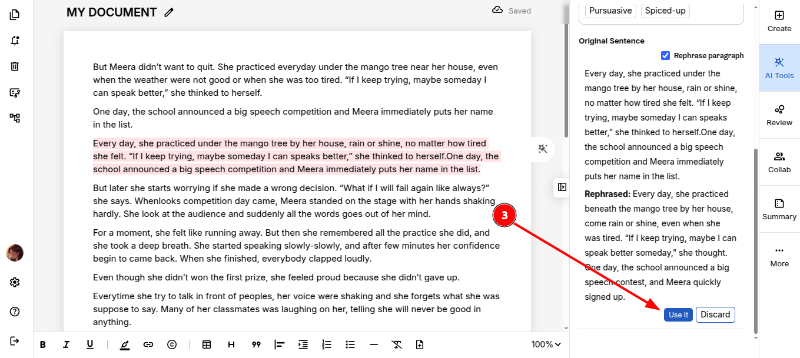
5. You can choose to 'Use It' or 'Discard' the rephrased sentence.
-
Use It will replace your original sentence with the new rephrased version.
- Discard will keep your original sentence unchanged.
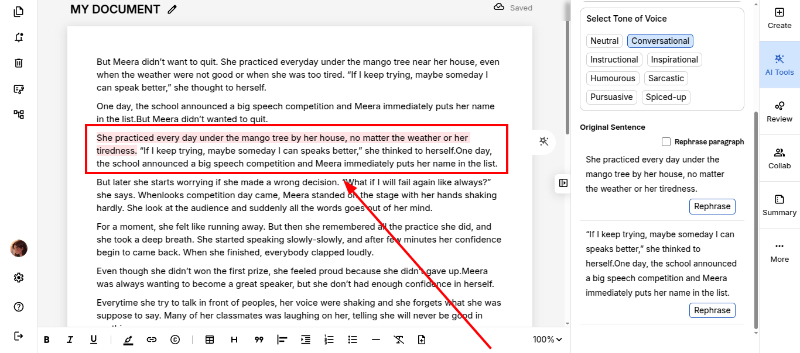
Here is the outcome after rephrasing the selected sentence.
If you want to paraphrase the entire paragraph:
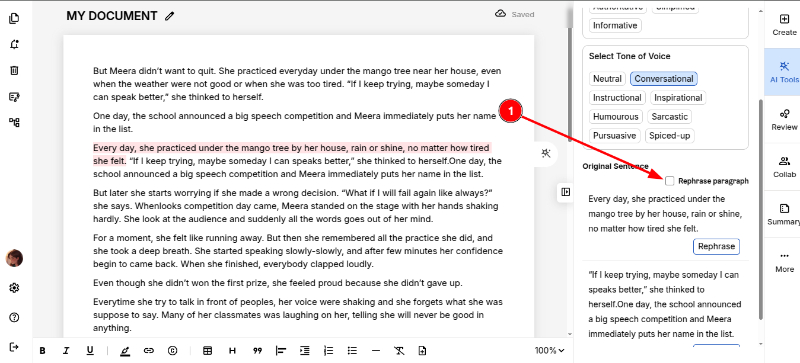
- First select the preferred tone and style, then check the 'Rephrase Paragraph' box.
2. After clicking the Rephrase button, ProofLex will show the rephrased paragraph.
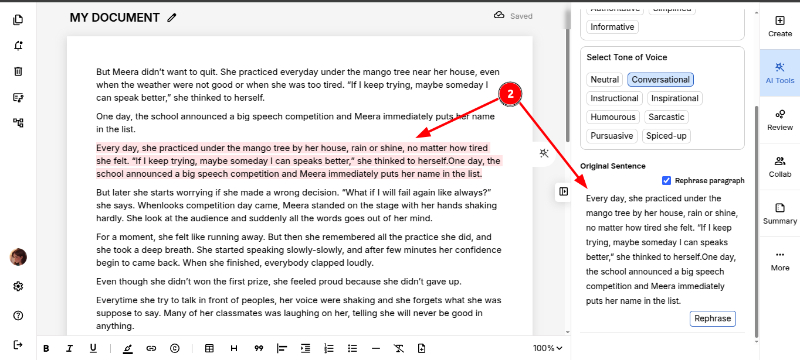
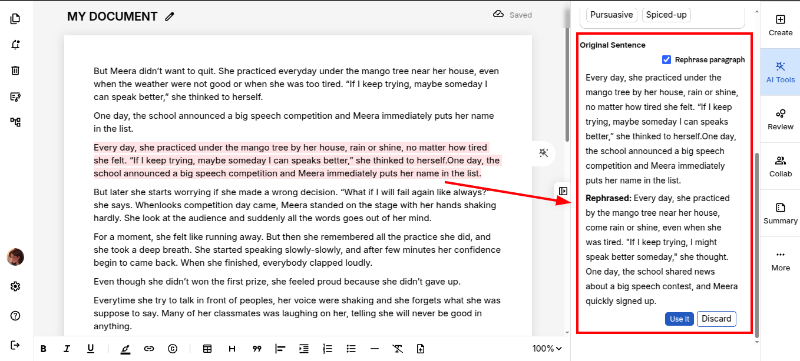
3. Click 'Use It' to apply the rephrased paragraph to your document.
You can also visualize the emotions in your content to see at a glance how your message feels to your readers