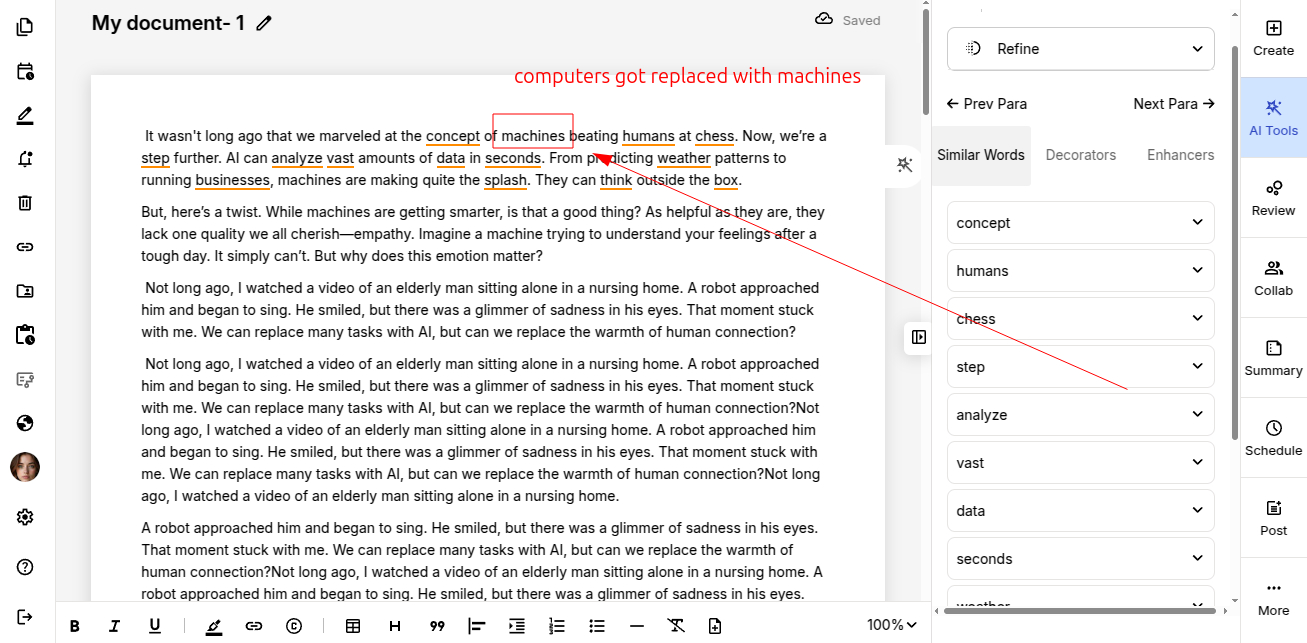
Once all the necessary refinements are applied, you can safely export your final version.

ProofLex
Open Appi-Resonate Help Center
ProofLex Help
Document Creation
Proofreading
Doc Insights
Team Management / WorkFlows
Microsoft Word Plugin
Microsoft Outlook Plugin
ContentCraft Help
MindWrite Help
Refining using similar words means replacing repeated or less effective words with better-suited alternatives that convey the same meaning more clearly.
In professional writing, using the right word makes a big difference. It improves readability, avoids repetition and helps your message sound confident.
Even when grammar is correct, weak word choices can make content feel flat. Refinement helps elevate the quality of your writing without changing its meaning.
ProofLex makes this process simple by suggesting relevant alternative words that fit naturally into your sentence.
Step 1: Upload your document into the ProofLex editor and choose “Refine" from the AI Tools.
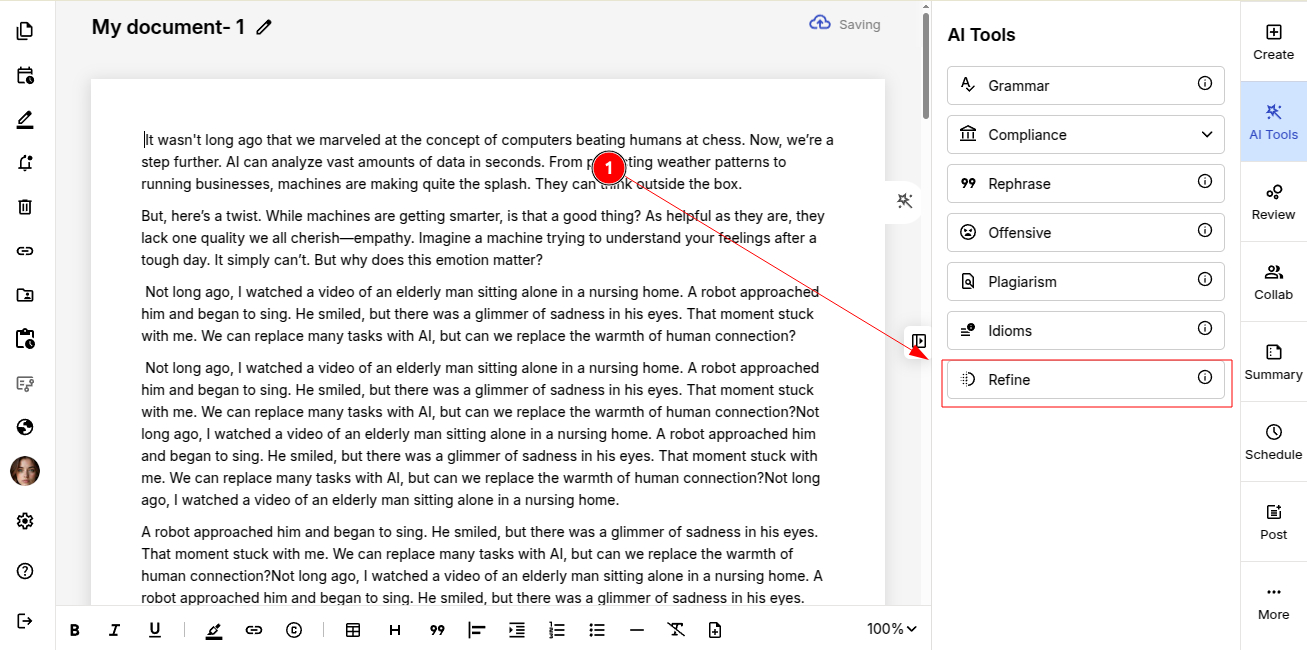
NOTE: Refinement in ProofLex works paragraph by paragraph. Make sure you select the specific paragraph you want suggestions for.
Step 2: ProofLex highlights words in the selected paragraph that can be refined.
For each highlighted word, it shows multiple alternative words that can be used in its place.
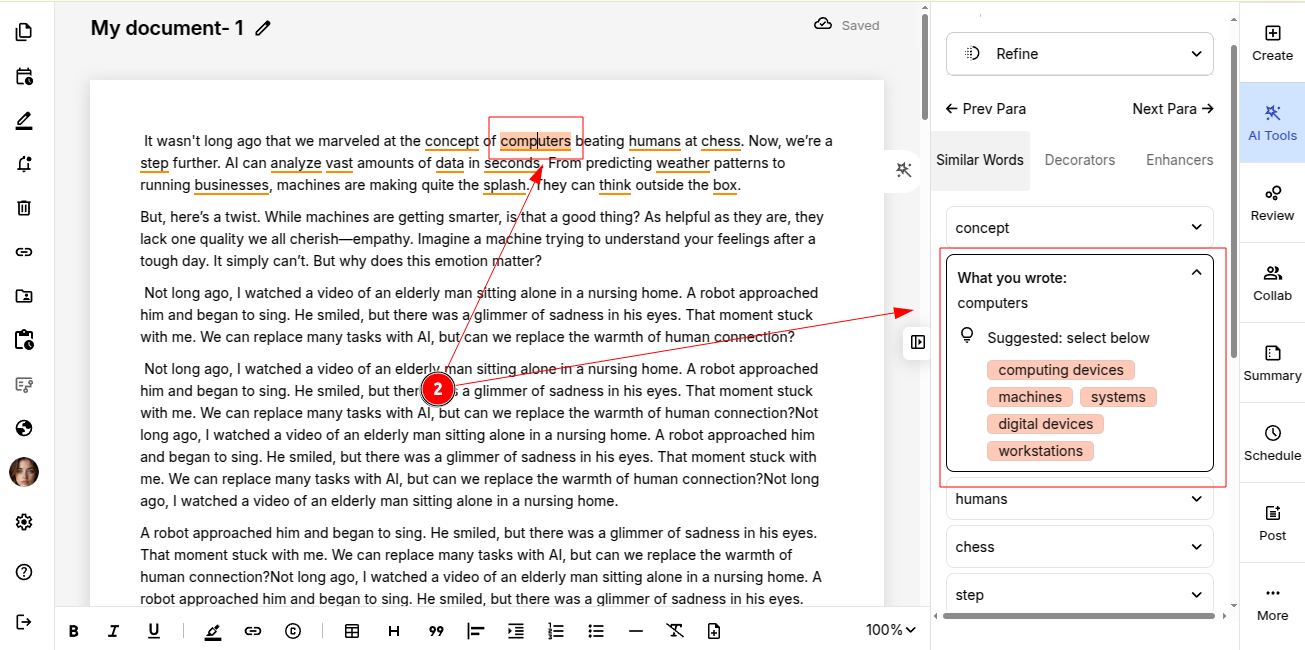
Step 3: Click on the word you want to refine/use from the suggestions.
The selected word will automatically be replaced into the document.