
ProofLex
Open Appi-Resonate Help Center
ProofLex Help
Document Creation
Proofreading
Doc Insights
Team Management / WorkFlows
ContentCraft Help
MindWrite Help
Team Creation in ProofLex Enterprise
In a corporate setup, teams are organized groups of users who work together on specific tasks or departments. Creating teams makes it easier to manage access and assign roles across the organization.
In ProofLex, teams allow you to group users based on your internal structure and operational needs.
Important: Only the Super Admins of a corporate account can create teams in ProofLex. You can create multiple teams, depending on the headcount specified in your organization’s Purchase Order (PO).
Steps to create teams in ProofLex:
Go to Manage Teams under Team Management in the left navigation and follow the following steps:
-
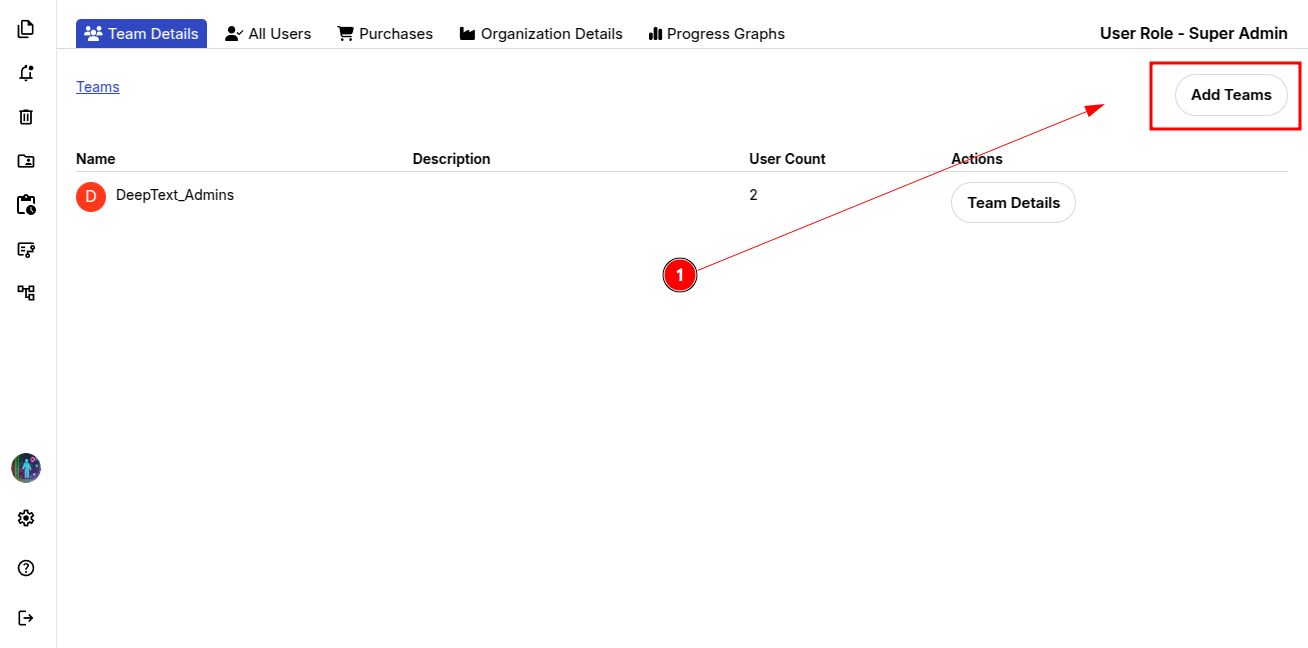
Click Add Team.
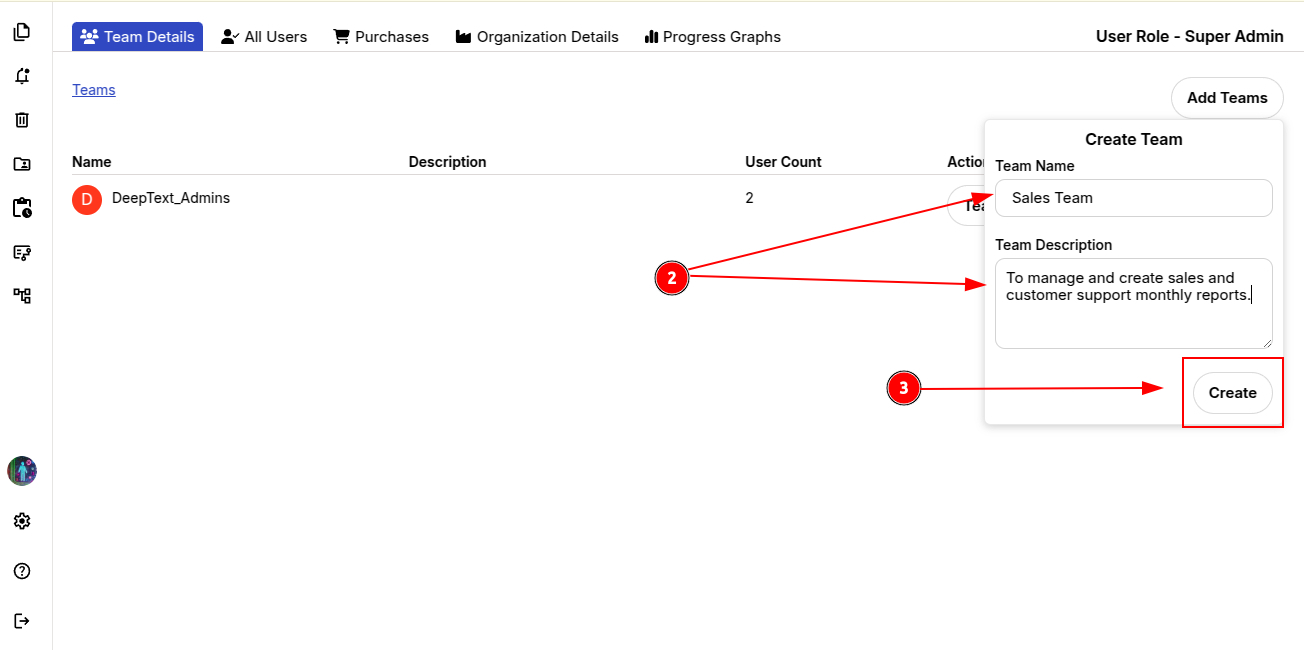
2. Enter the Team Name and a brief Team Description.
3. Click Create.
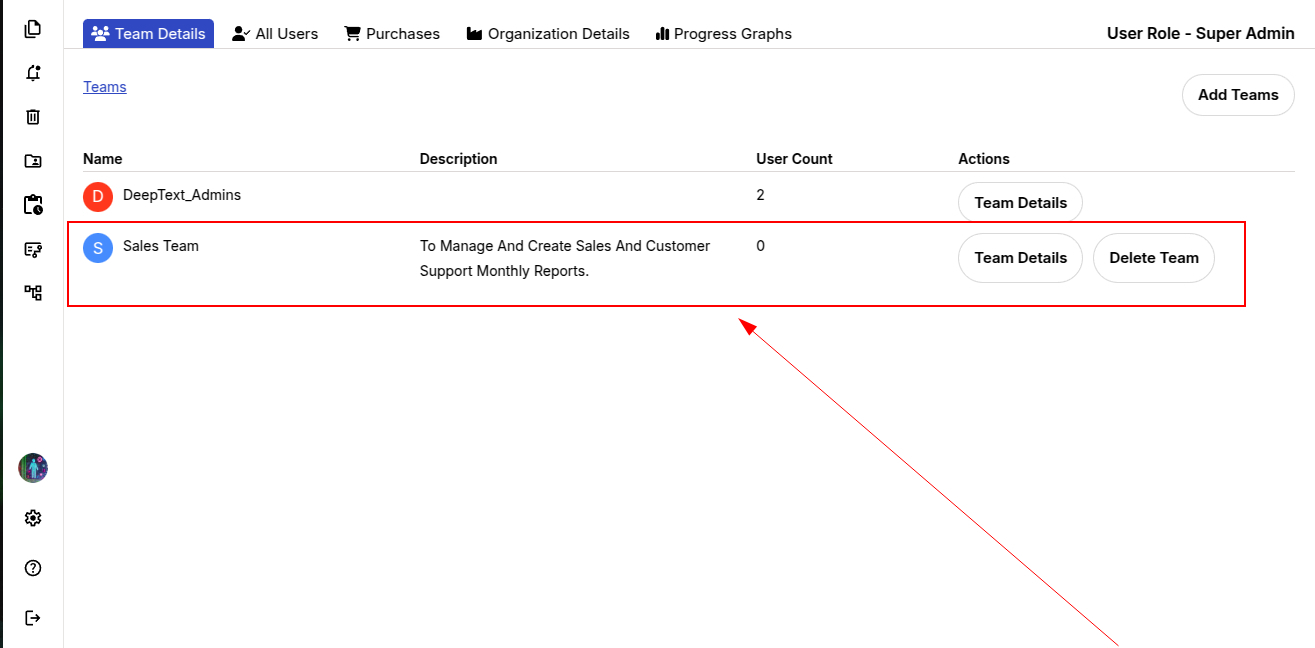
Your first team under the ProofLex organization (Corporate) is now set up. You can proceed to add users to the team.