You can also explore the Compliance Check in ProofLex to ensure your document meets required standards and guidelines.

ProofLex
Open Appi-Resonate Help Center
ProofLex Help
Document Creation
Proofreading
Doc Insights
Team Management / WorkFlows
Microsoft Word Plugin
Microsoft Outlook Plugin
ContentCraft Help
MindWrite Help
Create a grammatically correct document with ProofLex.
“Grammar” is the set of rules that govern how words are used to form sentences in a particluar language.
It covers things like:
-
Sentence structure: How words are arranged (e.g., subject-verb-object, nouns).
-
Punctuation: Commas, periods, question marks etc.
-
Spelling and word usage: Choosing the correct words and forms.
Small and minute mistakes can distract readers, cause confusion or reduce the credibility of your document.
The Grammar checker tool in ProofLex reviews your content and highlights grammar-related issues. It suggests clearer or more accurate alternatives and allows you to fix errors with just a click.
Follow These Steps to Check Grammar in Your Document
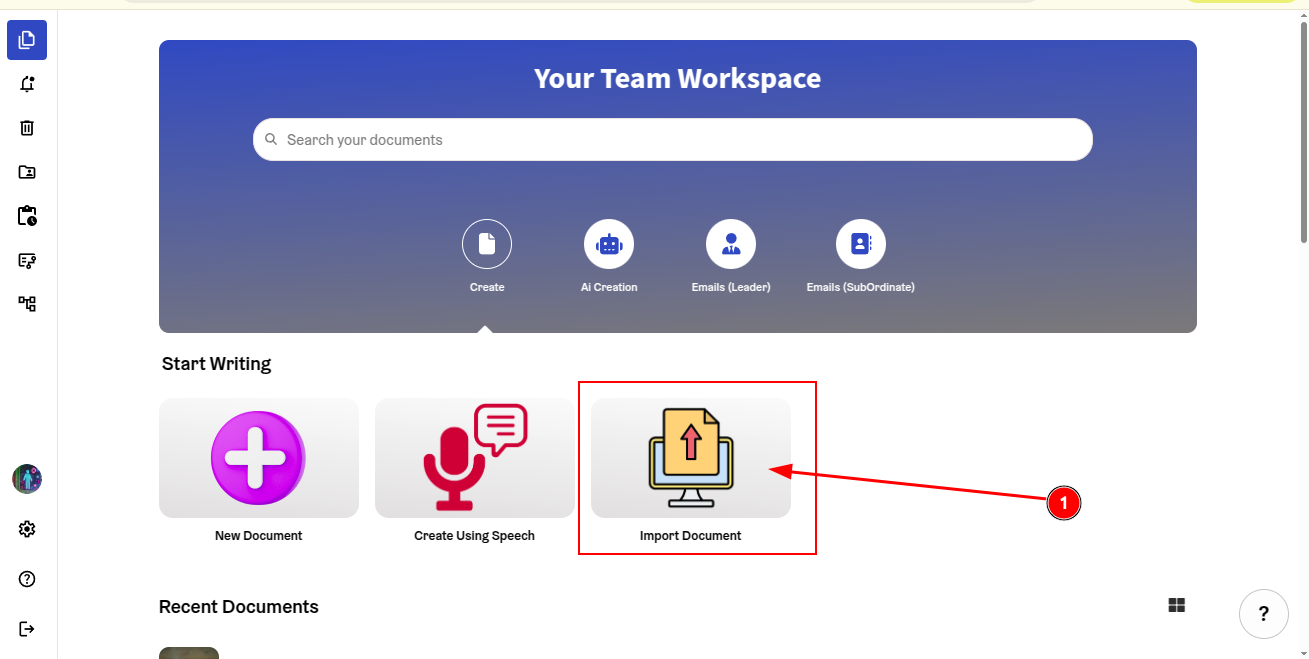
Step 1: Import your document into the ProofLex editor.
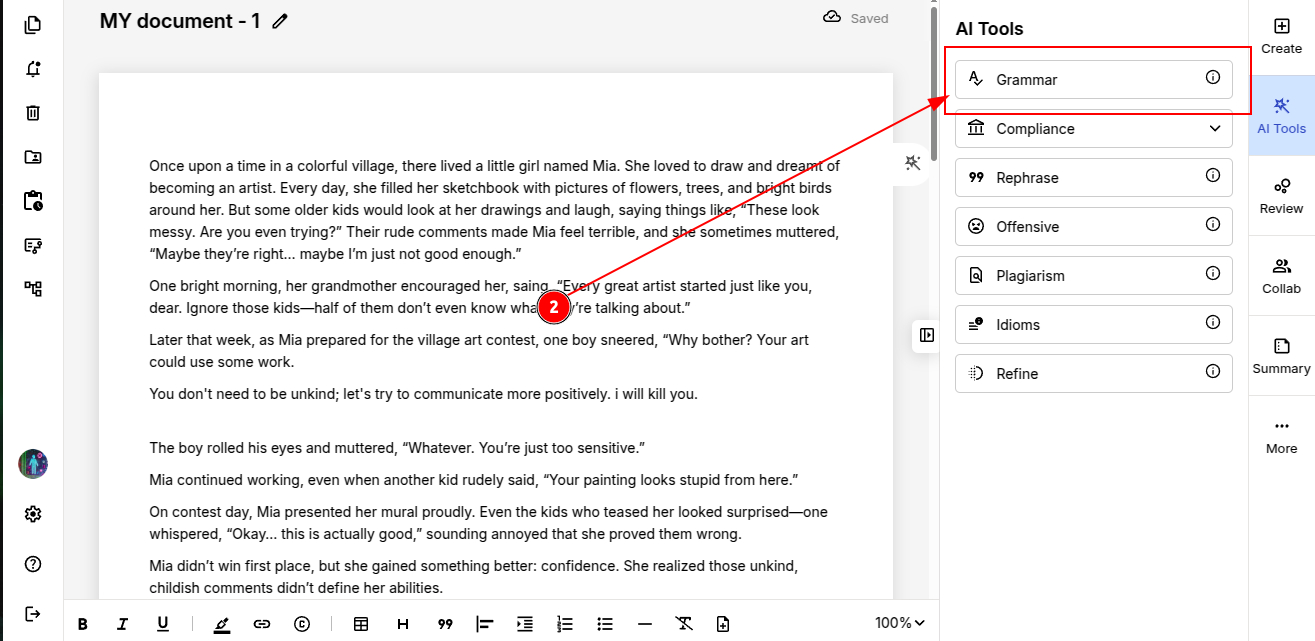
Step 2: Choose “Grammar” from the AI tools menu.
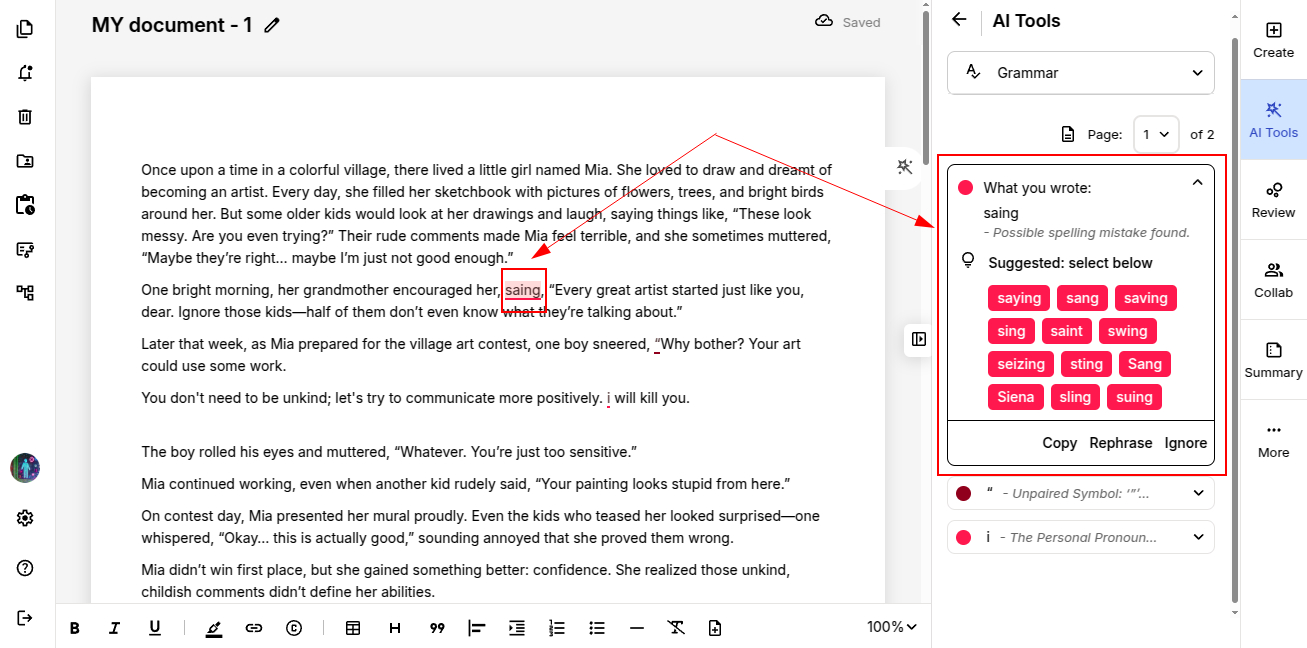
IMPORTANT : Grammar analysis in ProofLex works one page at a time. You must select the specific page you want to review.
The tool analyzes the selected page and highlights words that may need correction, along with suggested improvements.
ProofLex opens a suggestion card showing " what you wrote" and the recommended suggestions along with it.
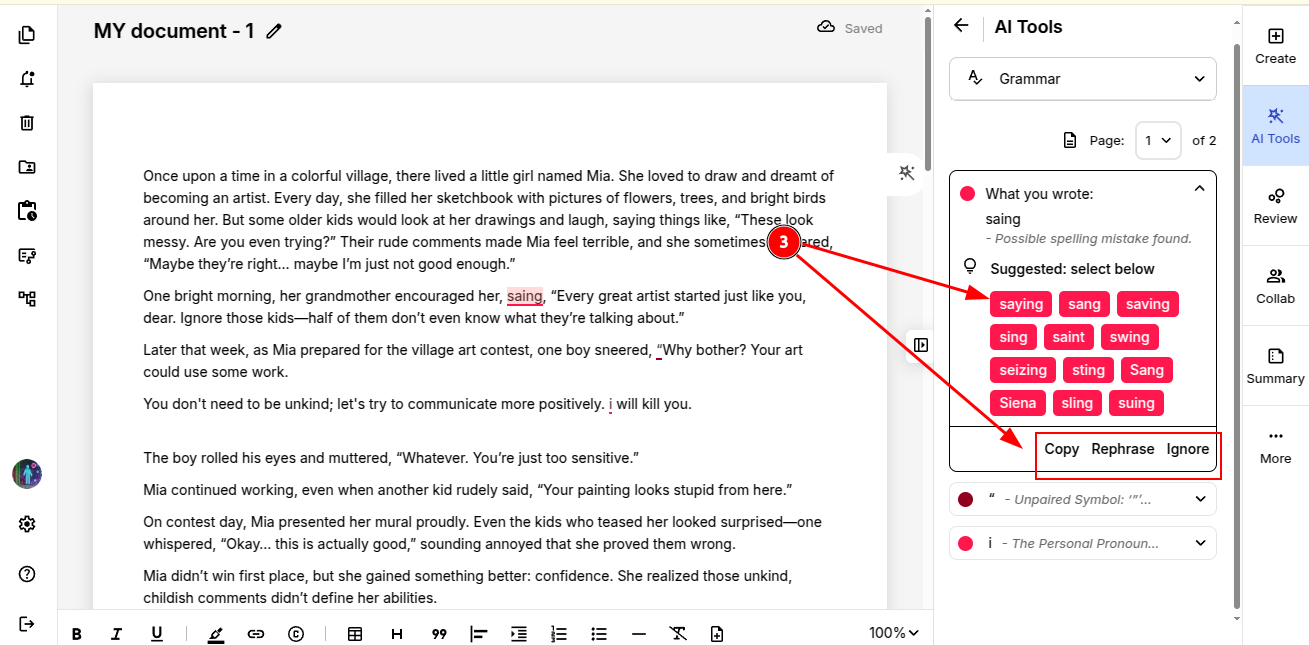
Step 3: Now, review and apply the changes. Click the most suitable suggestion to replace the word automatically.
You can also choose to copy, rephrase or ignore a suggestion, if needed.
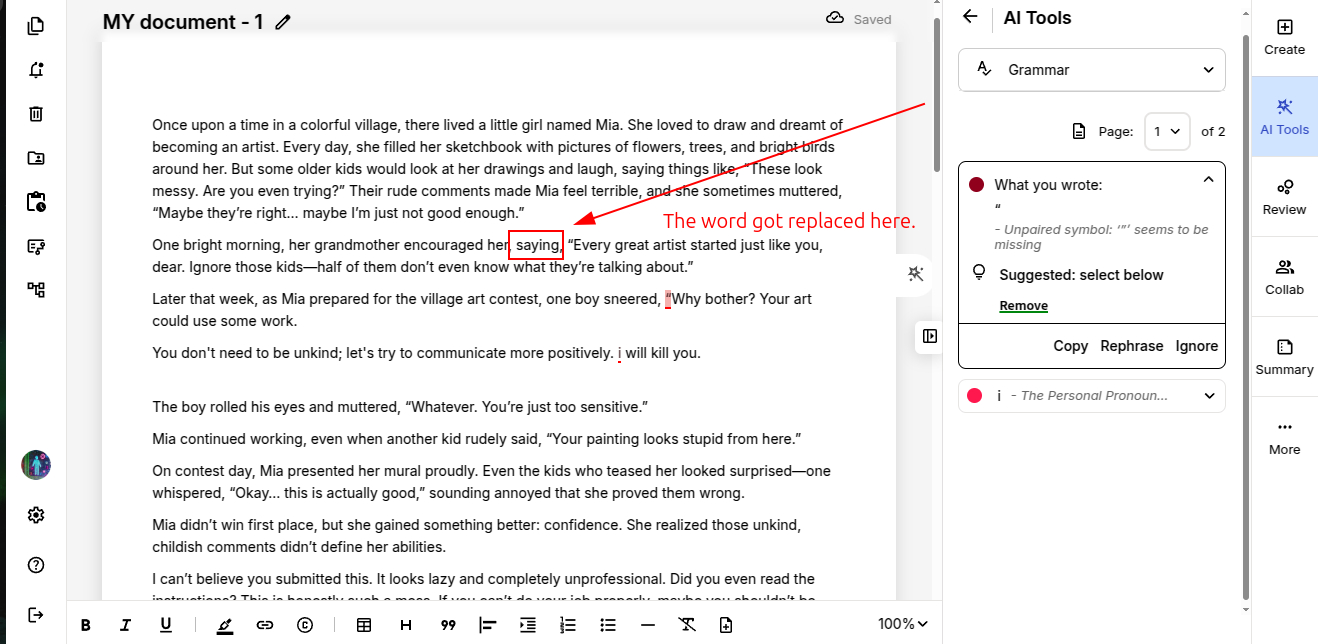
NOTE: Sometimes, ProofLex may flag names during a grammar check. This is a common limitation of AI tools.
For example, a name like “Alen” might be suggested as “Alien.” If the word is a correct name, you can simply ignore the suggestion and continue.
Step 5: Continue reviewing your document page by page and apply grammar suggestions whereever required.
Once the entire document has been grammar-checked, you can safely export your final version.