
ProofLex
Open Appi-Resonate Help Center
ProofLex Help
Document Creation
Proofreading
Doc Insights
Team Management / WorkFlows
Microsoft Word Plugin
Microsoft Outlook Plugin
ContentCraft Help
MindWrite Help
How to check Legal Compliance with ProofLex?
Legal compliance means making sure your content follows all relevant laws, regulations and organizational policies. This includes:
-
Data protection laws
-
Privacy and confidentiality standards
-
Mandatory disclosures and legal guidelines
In simple terms, legal compliance ensures your writing is accurate, responsible and safe to publish. This reduces the risk of legal issues or misuse of sensitive information.
ProofLex AI-powered Legal Compliance Checker scans your document for potential legal risks, including policy violations or sensitive information such as PII.
NOTE: Legal Lens is a premium feature. You can use it only if your ProofLex plan includes compliance tools.
Follow these steps to run a Legal Compliance check :
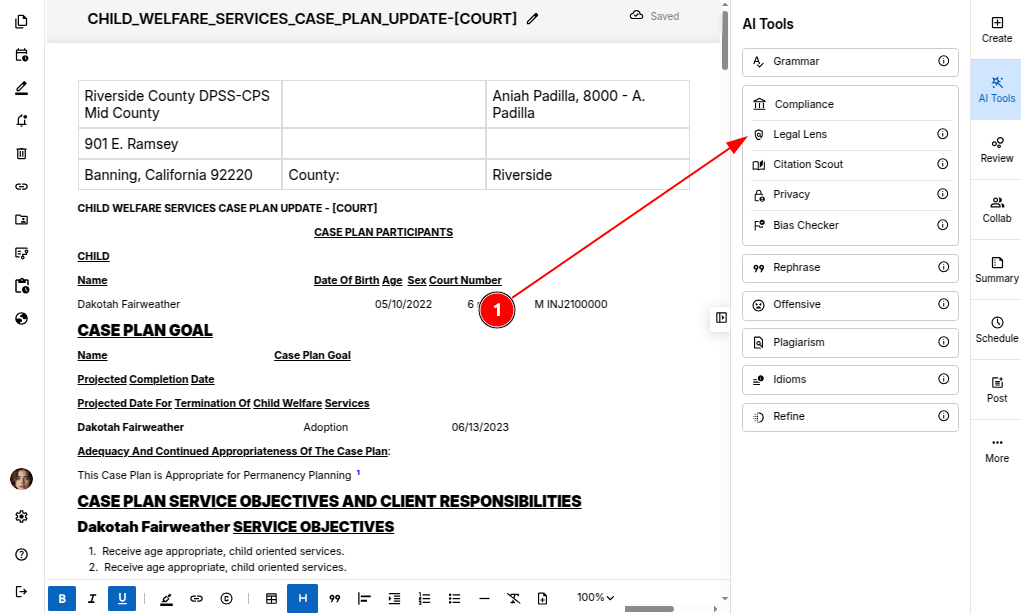
STEP 1: In the Prooflex editor, select “Legal Lens" under Compliance AI tools.
STEP 2: ProofLex highlights sentences that may require a compliance review.
A detailed card opens showing:
-
What you wrote.
-
The suggested correction.
-
The reason for the correction based on legal guidelines.
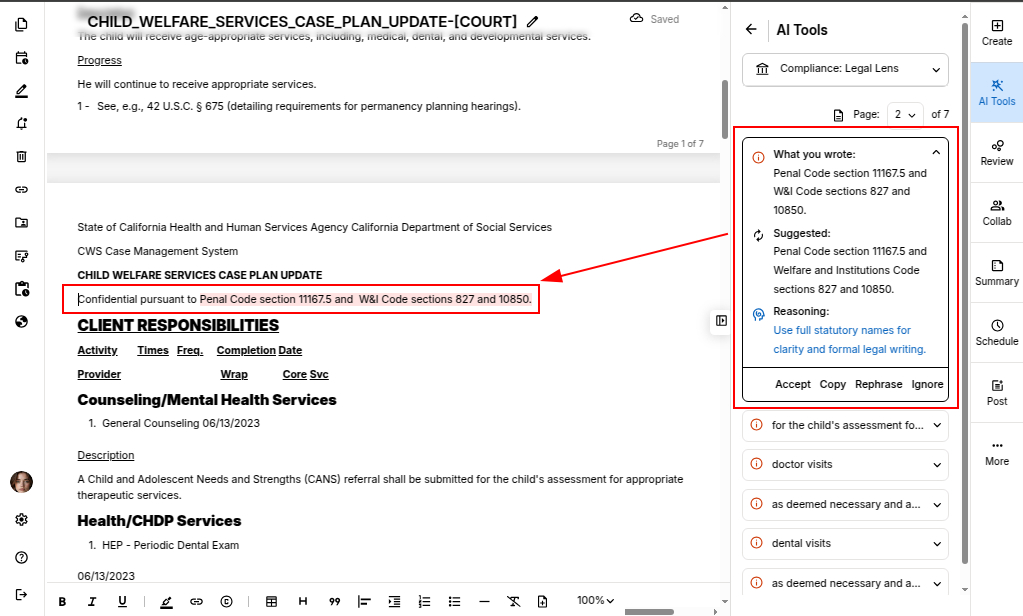
IMPORTANT: Compliance Analysis is performed one page at a time. Make sure you select the page you want to analyze before starting the check.
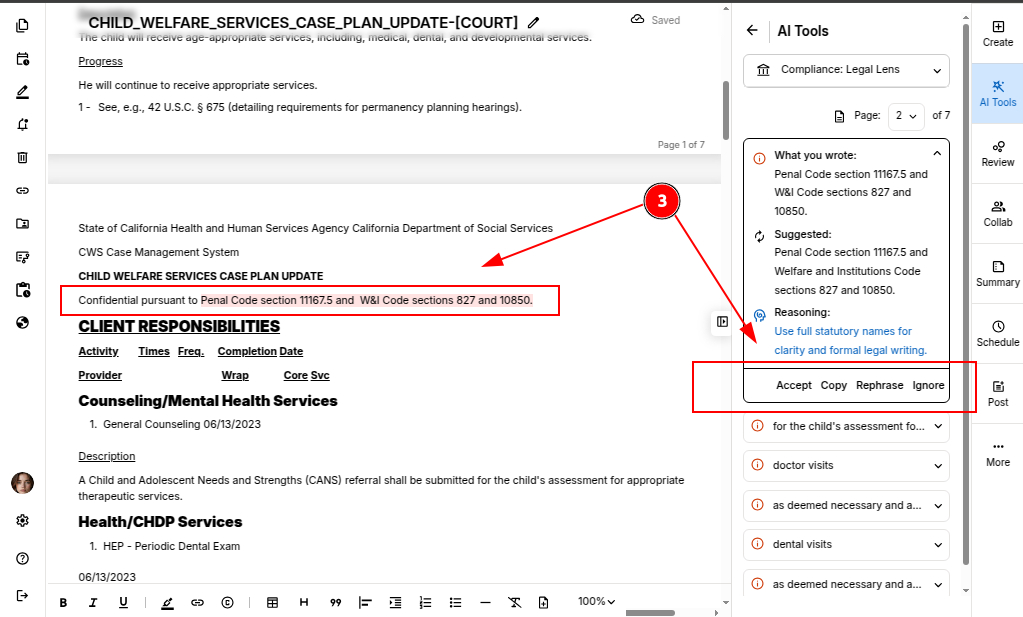
STEP 3: You can take action on each suggestion:
-
Accept will replaces the compliance suggestion in your document.
-
Copy – You can use it elsewhere.
-
Ignore – You can skip the suggestion
-
Rephrase – You can rewrite the sentence while keeping your meaning.
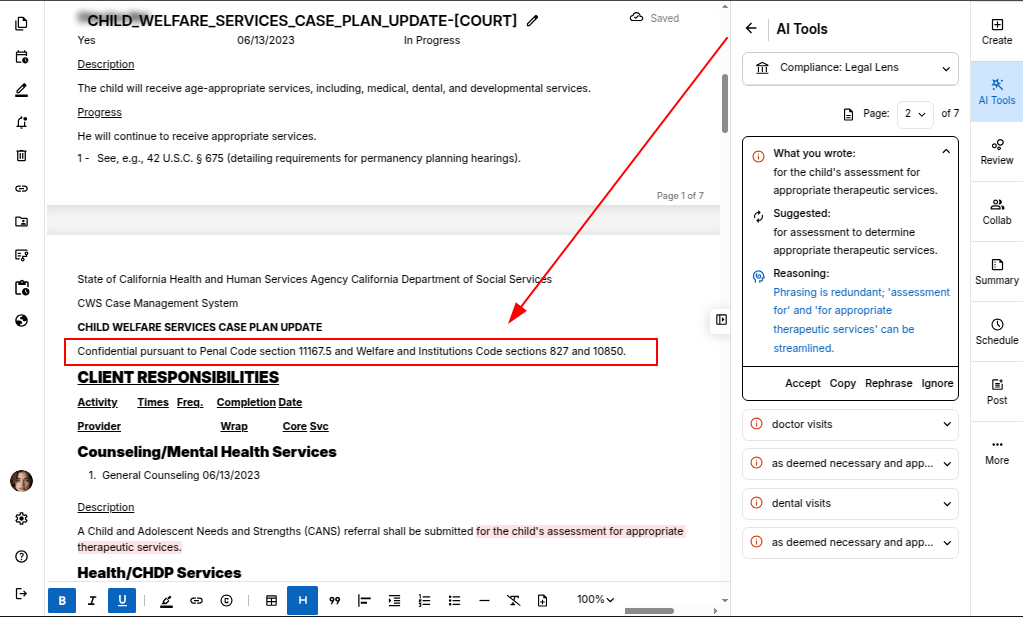
Once you accept a suggestion, legal compliance suggestion is automatically updated in the document.
Once your document is finalized, you can safely export it.
You can also explore inserting citations in your document through ProofLex.