
ProofLex
Open Appi-Resonate Help Center
ProofLex Help
Document Creation
Proofreading
Doc Insights
Team Management / WorkFlows
Microsoft Word Plugin
Microsoft Outlook Plugin
ContentCraft Help
MindWrite Help
Identify and reduce biased language in legal documents using ProofLex.
Bias in documents refers to language or tone that unfairly favors or dismisses a person or group, often without the writer even realizing it.
In simpler terms: Bias is anything in your writing that can make readers feel misrepresented or disrespected.
In professional communication, even the strongest arguments can lose credibility if the tone feels biased or unintentionally offensive. That’s why many teams now intentionally check for biased language.
ProofLex Bias Checker helps you spot and correct language that may sound aggressive or unprofessional , so your message is always received the way you intend.
Note: This is a premium feature. You can use it only if your ProofLex plan includes compliance tools.
How to refine tone using ProofLex's Bias Checker?
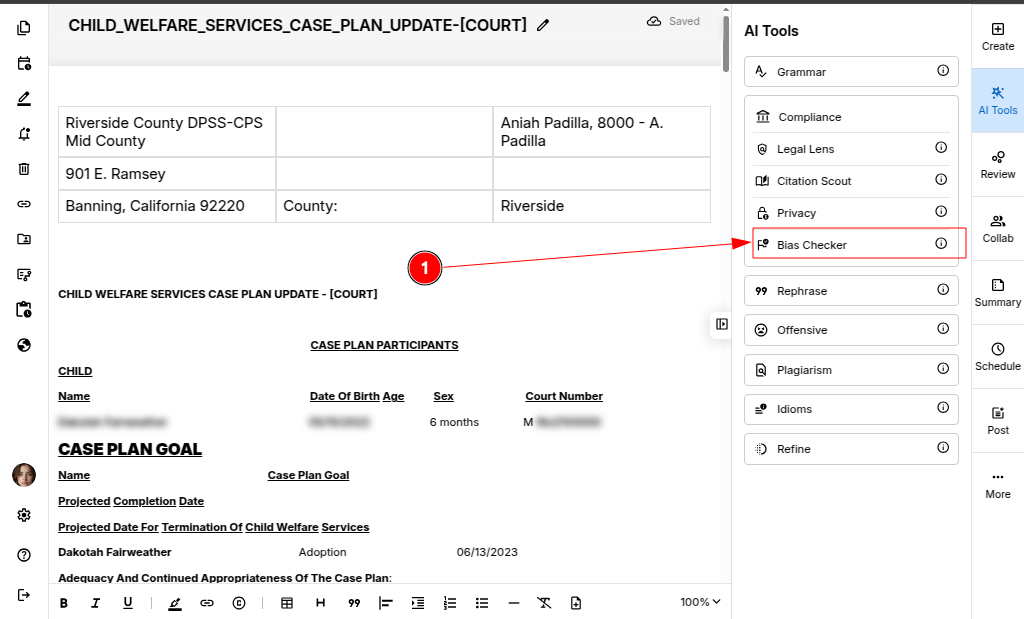
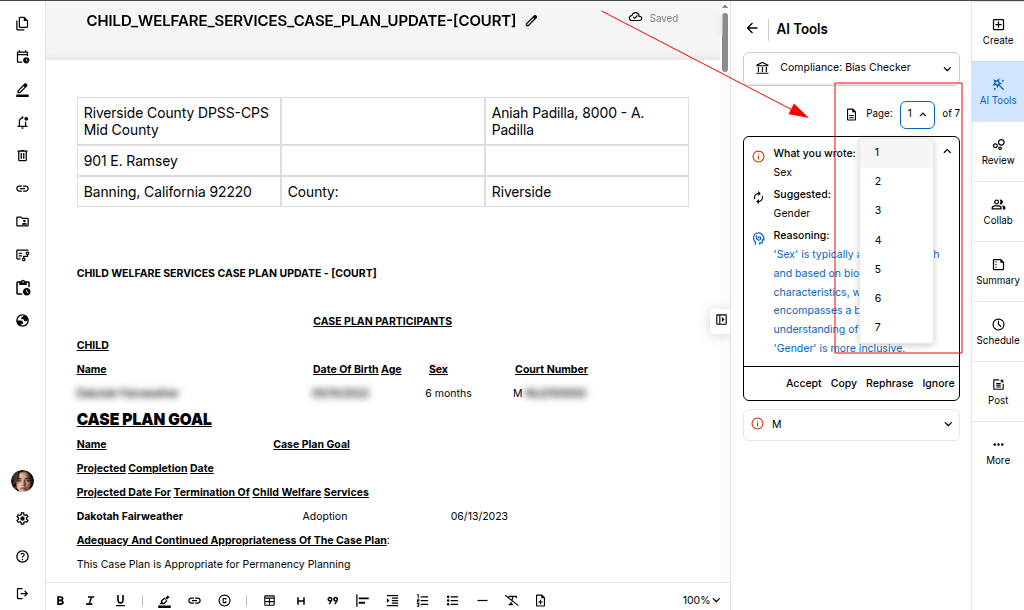
Step 1: Open your document in the Editor and select Bias Checker under the AI Compliance tools.
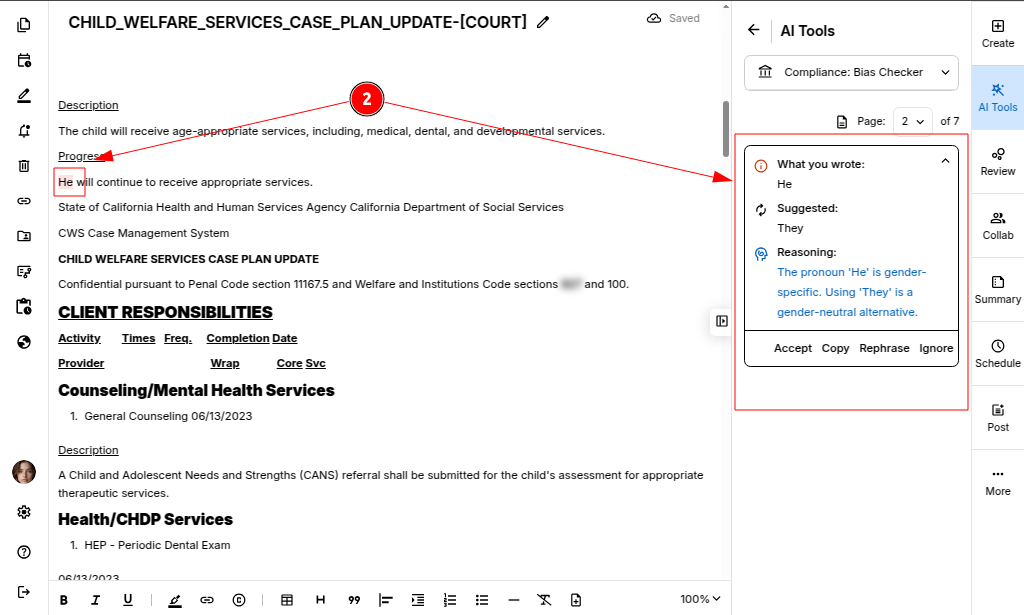
Step 2: ProofLex automatically scans your content for potentially harsh or biased language.
It highlights the exact phrases and provides diffterent alternatives.
Step 3: Click Accept on any suggestion you want to apply.
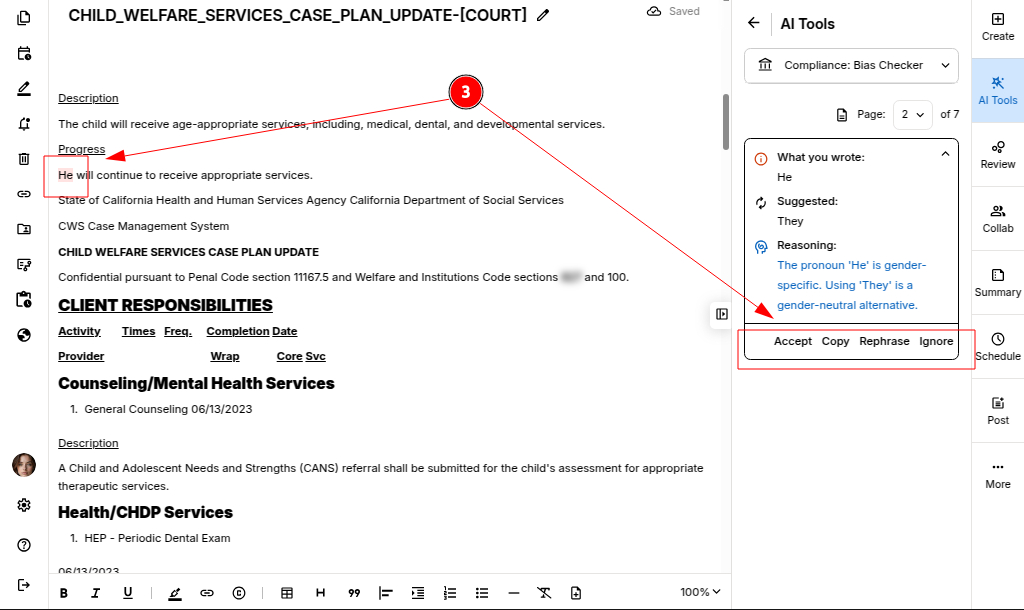
The text is instantly replaced with a more accurate and professional version, no rewrites needed.
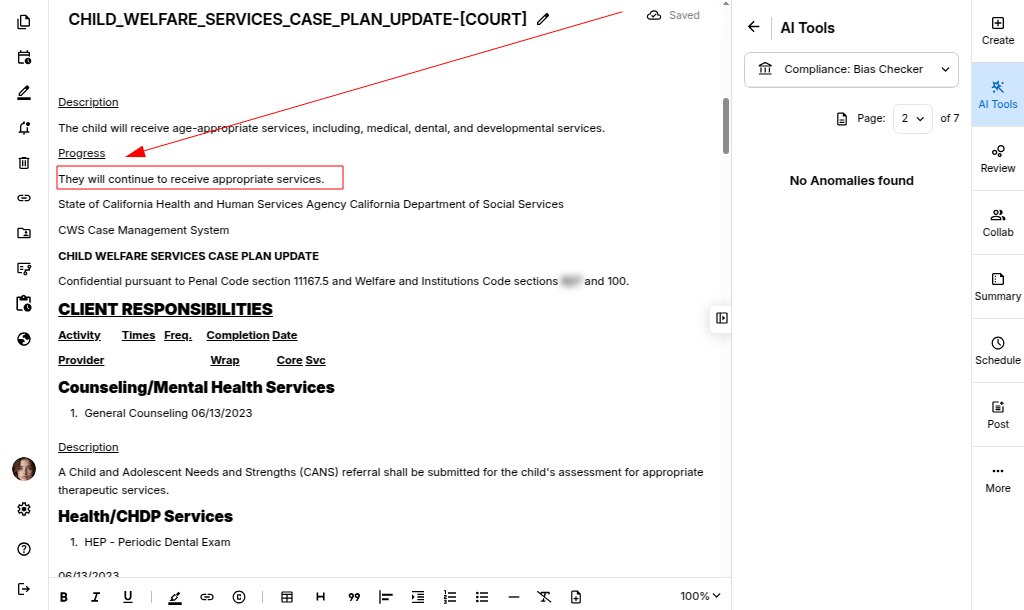
IMPORTANT: Bias Analysis is performed one page at a time. Make sure you select the page you want to analyze before starting the check.
Once your document is finalized, you can safely export it.
Combine the biased Language check with Toxicity and Sentiment analysis to ensure your content is both emotionally balanced and audience-appropriate.