
ProofLex
Open Appi-Resonate Help Center
ProofLex Help
Document Creation
Proofreading
Doc Insights
Team Management / WorkFlows
Microsoft Word Plugin
Microsoft Outlook Plugin
ContentCraft Help
MindWrite Help
Summarize your long documents with ProofLex
A summary is a shorter version of a longer text (legal documents) that focuses only on the most important points.
Instead of reading pages of detailed information, a summary of that document helps you quickly understand the main ideas without losing the original meaning.
Whether you're reviewing reports, research notes, meeting minutes or long documents, a good summary saves time and helps you focus on what truly matters.
ProofLex makes this process easier by generating clear, accurate summaries in seconds.
Follow these Steps to summarize your content :
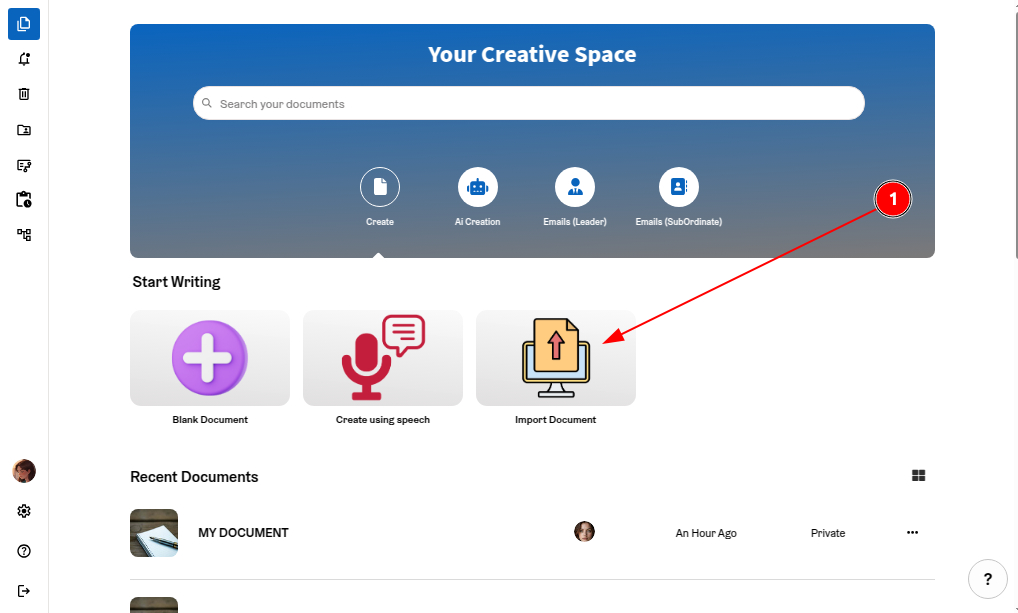
STEP 1: Import your document in the editor.
STEP 2: Click on “Summary” from the right panel.
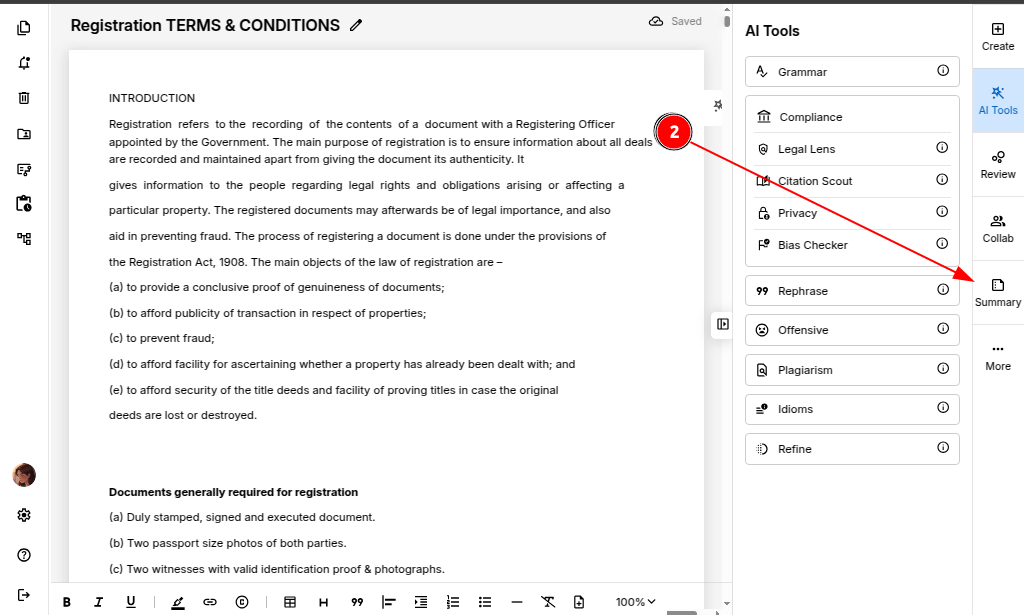
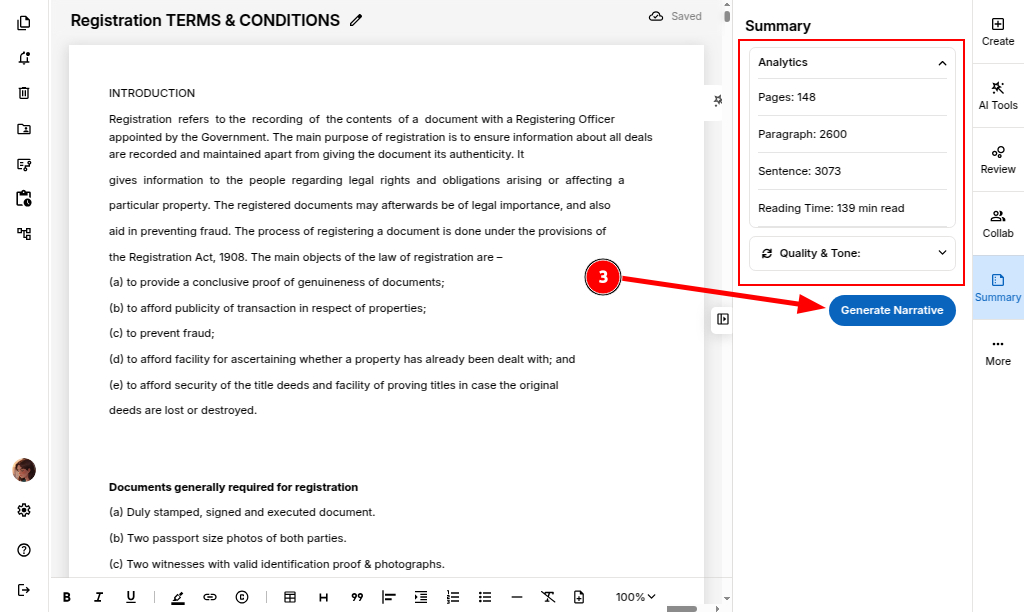
ProofLex will also display helpful document analytics such as page count, estimated read time and your content intent.
STEP 3: Click on “Generate Narrative.”
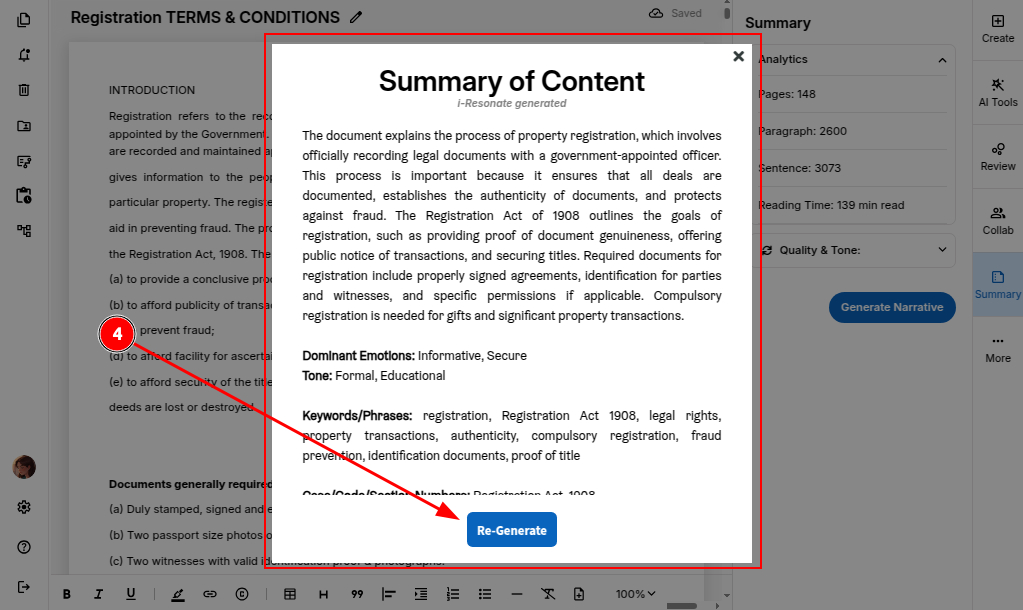
STEP 4: Your summary will instantly appear in a quick-view format.
If needed, you can click “Re-generate” to get another version.
You can also consider Collaborating with another writer to enhance your content further.