
ProofLex
Open Appi-Resonate Help Center
ProofLex Help
Document Creation
Proofreading
Doc Insights
Team Management / WorkFlows
Microsoft Word Plugin
Microsoft Outlook Plugin
ContentCraft Help
MindWrite Help
How does the Formatting Bar works in ProofLex?
Formatting tools help you present your ideas in a way that is professional and easy to follow.
A well-structured document allows readers to understand your message quickly and navigate smoothly from one section to another.
While ProofLex is primarily designed for proofreading and compliance, it also supports the essential formatting features needed in professional documents.
The Formatting Bar brings together all the common styling tools you need, helping you format your content effortlessly without disrupting your workflow.

1. Common Formatting Tools
-
Bold (B): Used to emphasize important keywords.
-
Italic (I): Highlight the terms, titles or subtle nuances.
-
Underline (U): Draw attention to critical text.
2. Visibility Tools
-
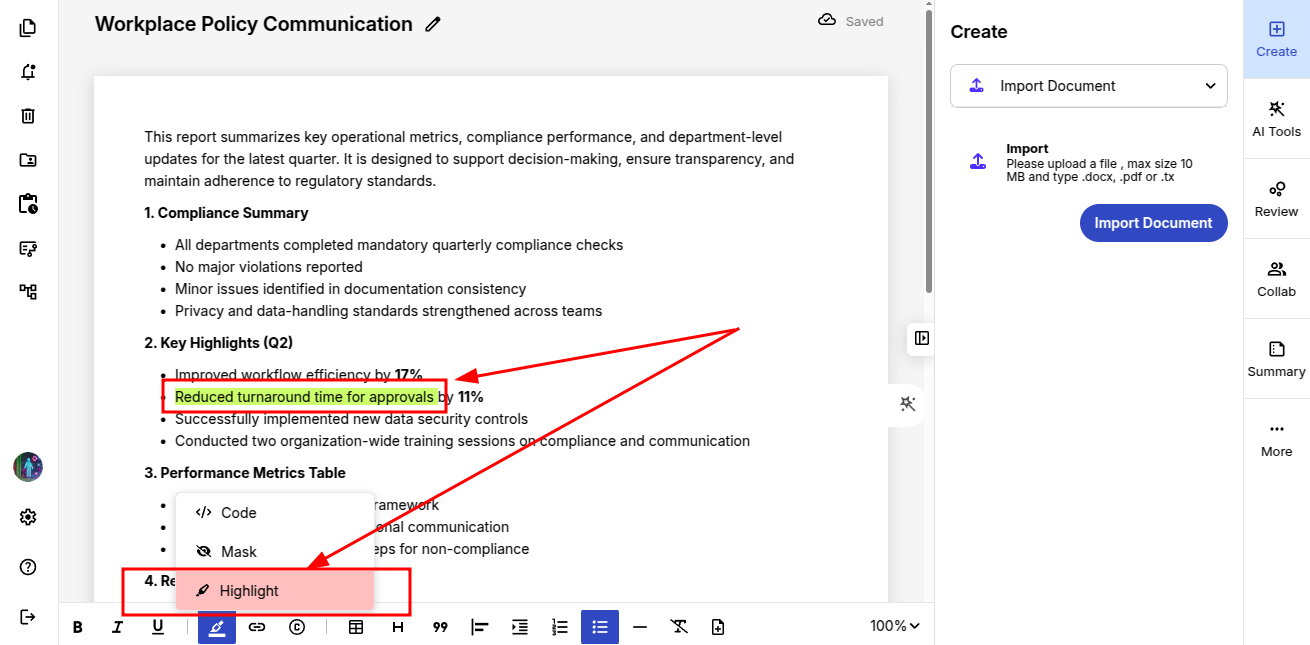
Highlight: Make important sentences stand out using background highlight color (green) for quick reader attention.
-
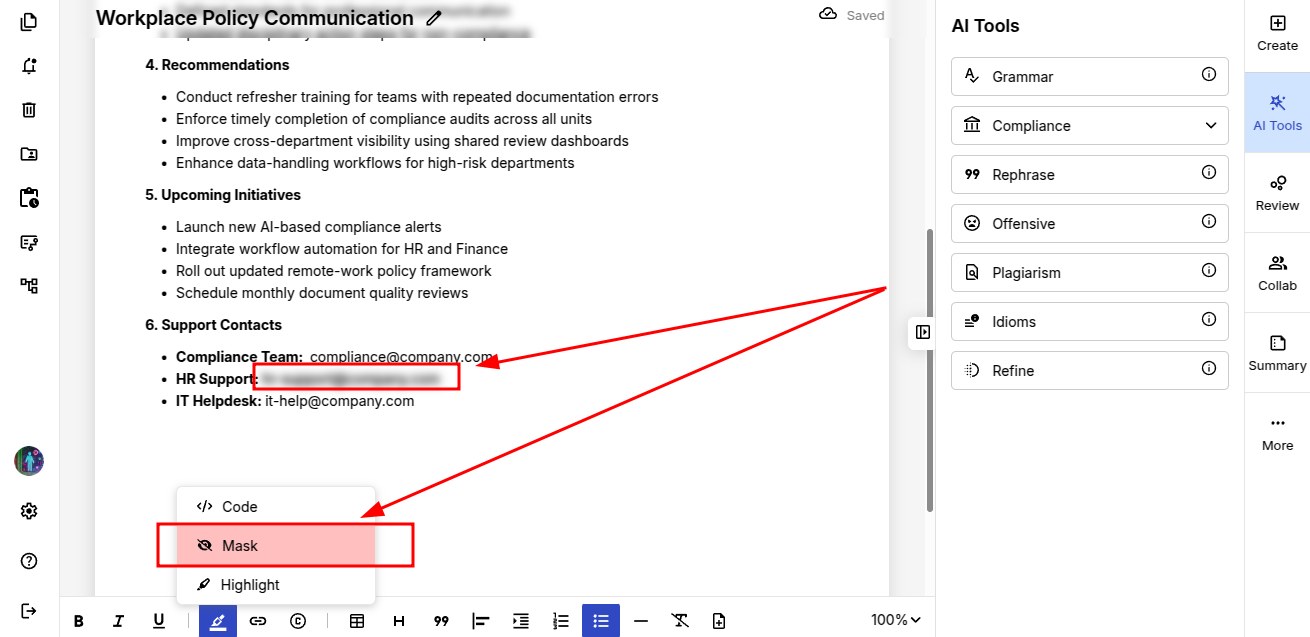
Mask: Legal and professional documents often contain confidential or personally identifiable information (PII). Detecting and redacting this data is essential to protect privacy and prevent unauthorized access.
ProofLex's masking feature helps you safely conceal sensitive details without disrupting the format of the document.
-
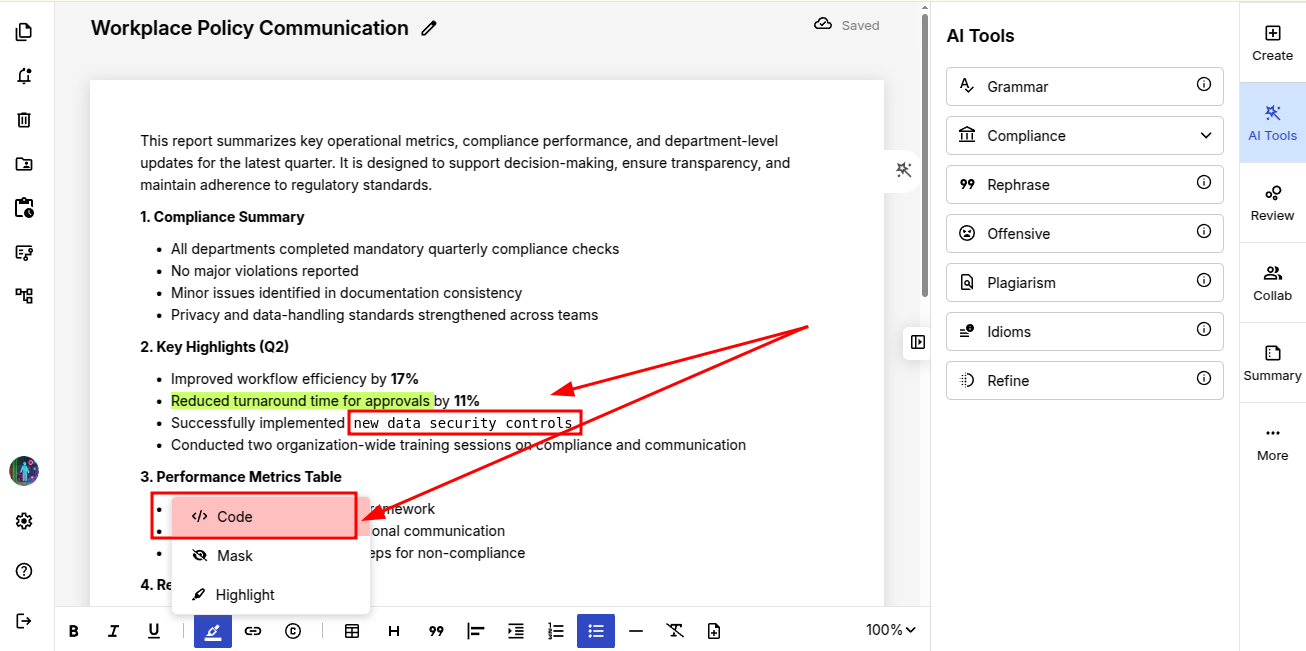
Code: Help you highlight technical text, commands or code snippets clearly.
3. Links
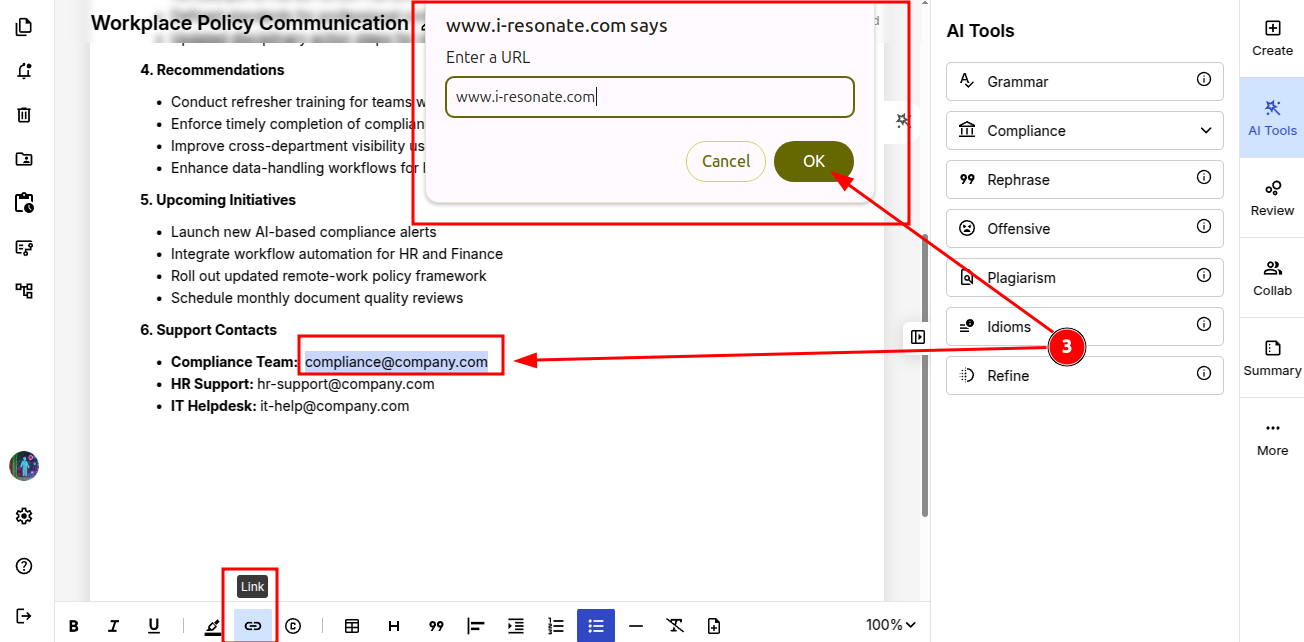
Attach URLs to guide readers to external references and supporting materials.
4. Citation
In legal writing, every claim needs evidence and that evidence comes from citations. This tool inserts formal references quickly to support your statements and maintain the professional credibility.
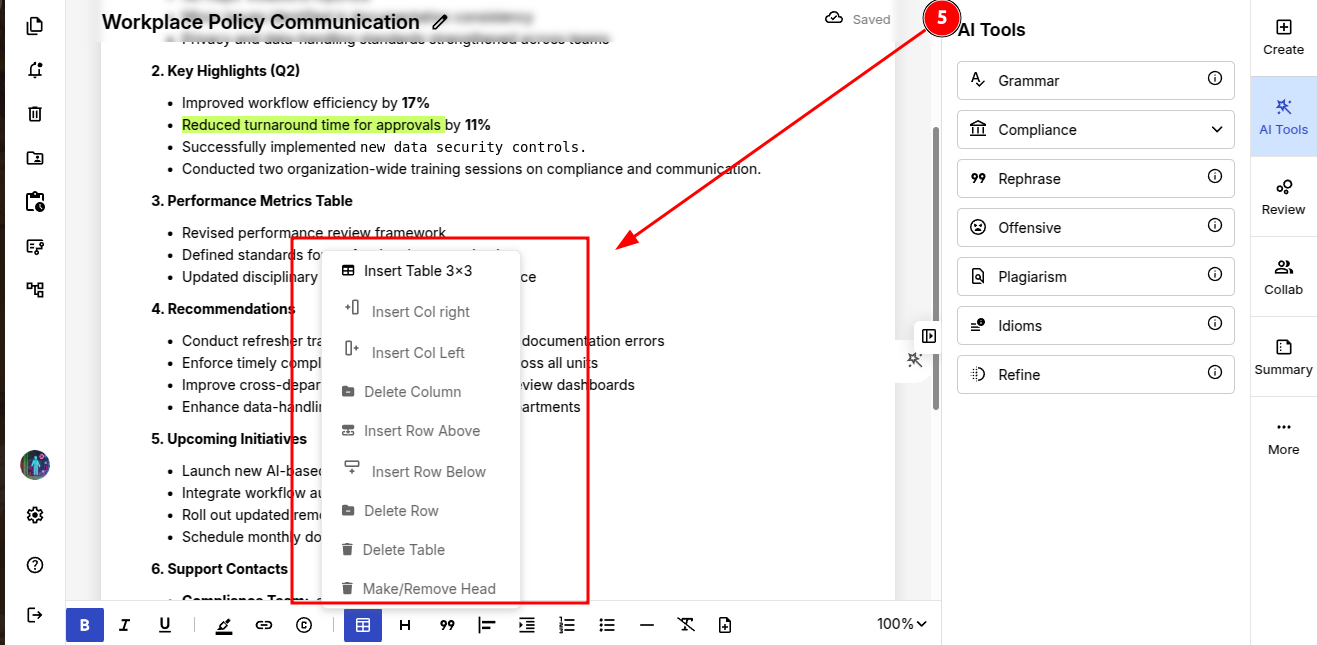
5. Tables
Help you build clean rows and columns to present data in a structured and easy-to-read format.
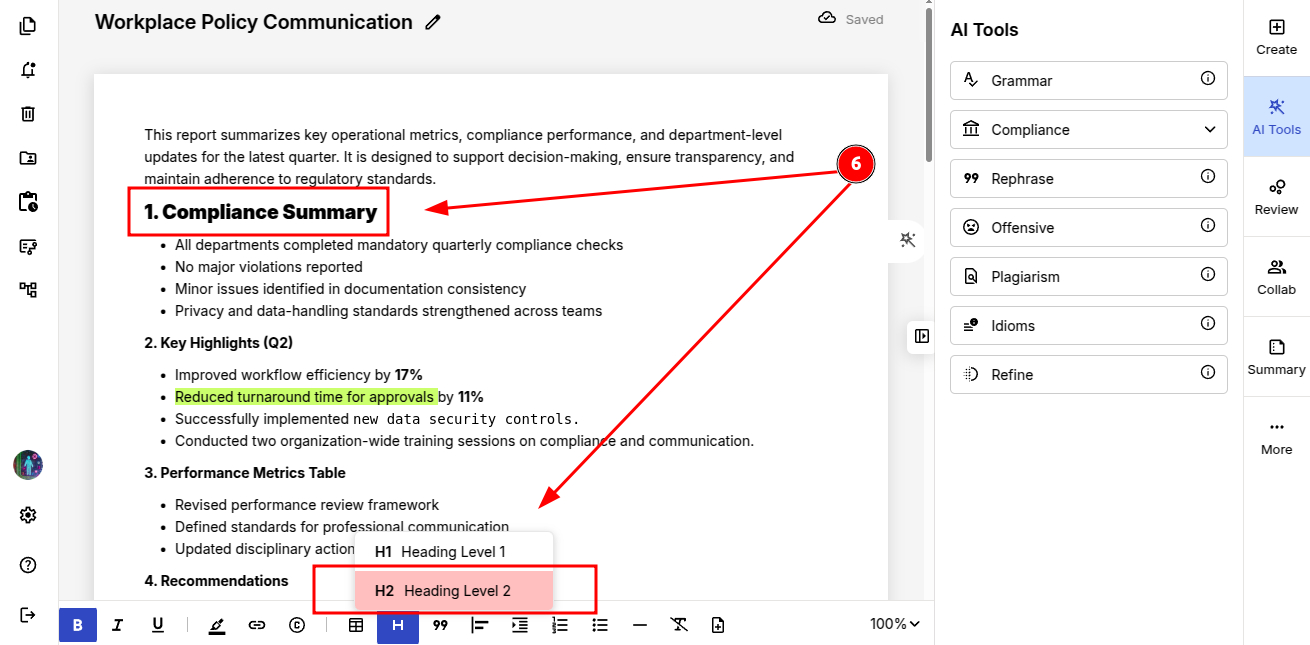
6. Headings
-
H1 & H2: Organize your content into clear sections to improve hierarchy and navigation of your document.
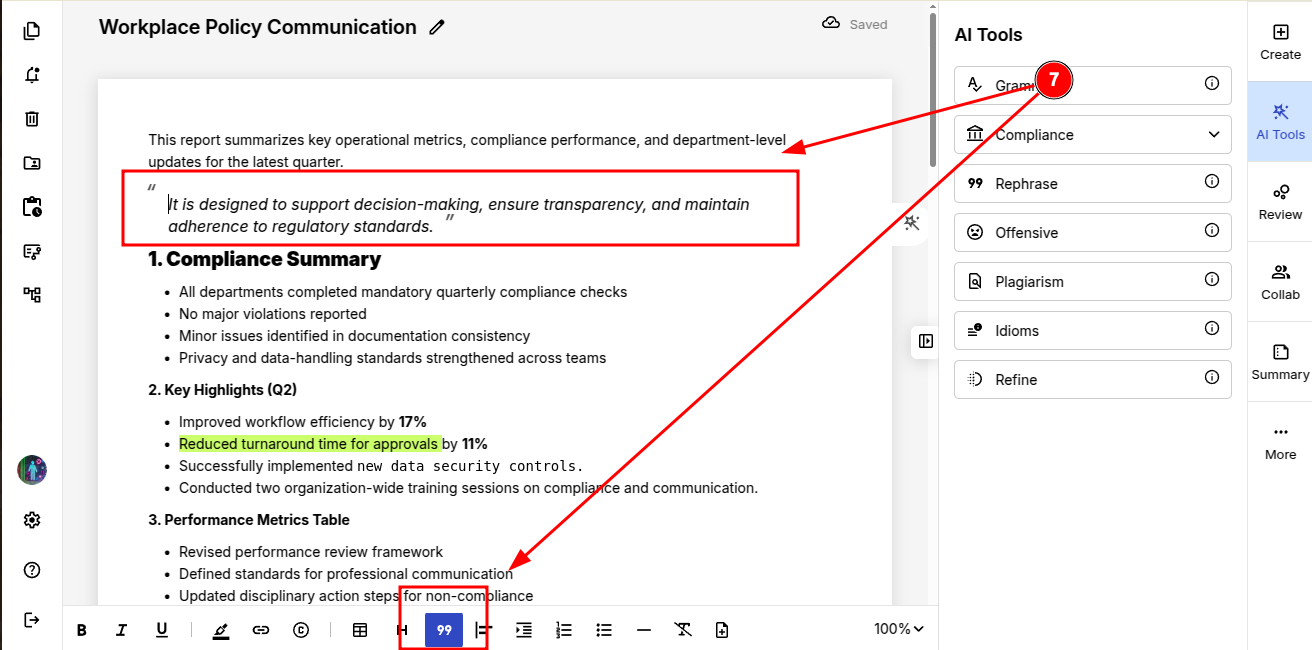
7. Block Quotes and alignment Tools
- Display quoted or referenced text in a visually distinct block for emphasis and more clarity.
- Alignment tools(left, right or centre) help you maintain a clean and organized layout throughout your document.
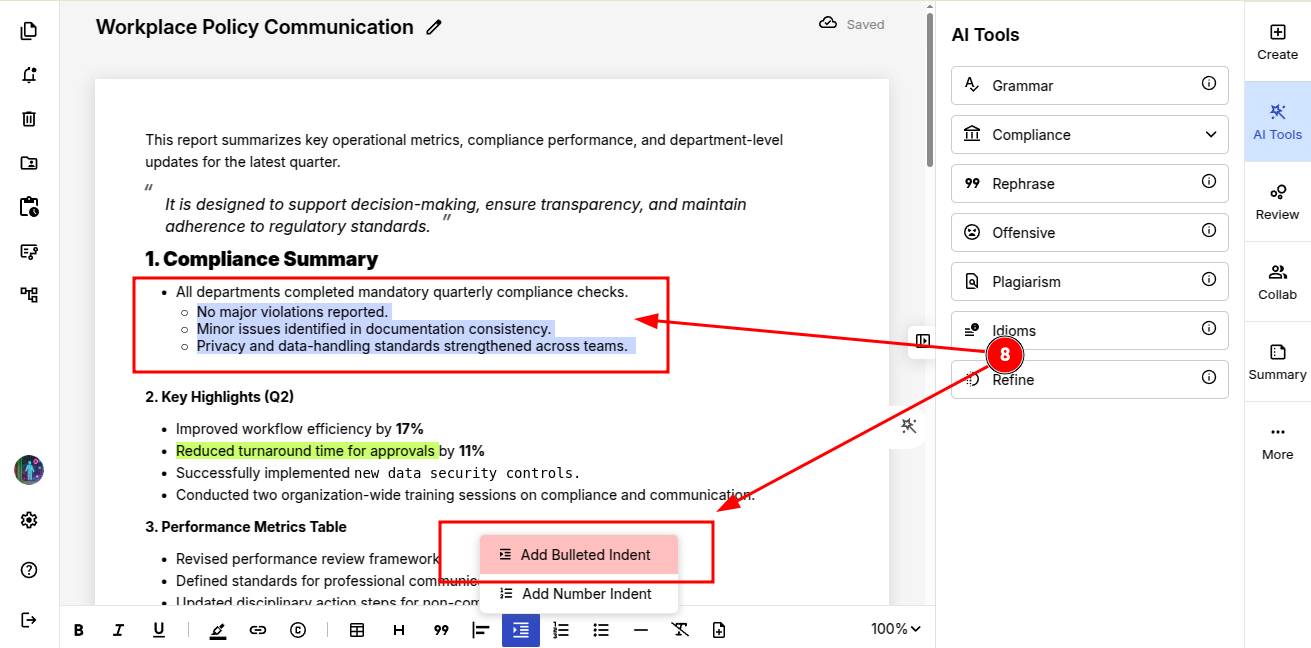
8. Lists & Indents
-
Bullet & Numbered Lists: Present your steps and ideas clearly in list format.
-
Indent Tools (Number & Bullet Indent): Adjust paragraph spacing and internal hierarchy for better structure.
9. Dividers & Pages
-
Horizontal Line: To separate sections for improved readability.
-
Remove Formatting: Clear last formatting instantly.
-
Insert Page: Start new sections or topics neatly within your document.
By mastering these formatting tools, you can maintain clean formatting in your document. Then move smoothly into compliance checks and finally export your document safely.